
1.4308
Released: April 1, 2019.
Enhancements
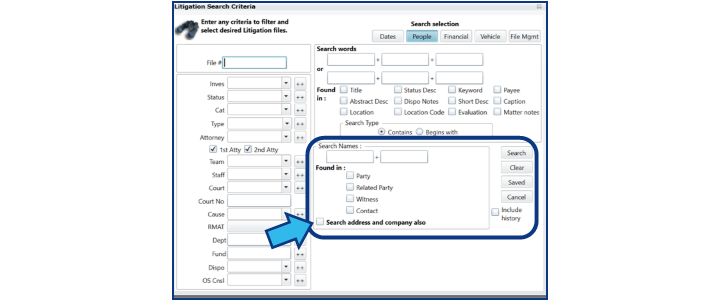
- People Search: In Litigation, Claims, Family Services, Third Party Claims, Workers Compensation, and Labor Relations modules added the ability to “Search address and company also” by placing a check in the provided box.
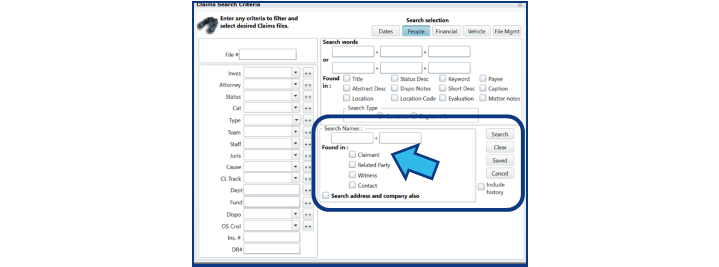
- People Search: In Claims module, under “Found in,” Party field has been modified to reflect “Claimant.”
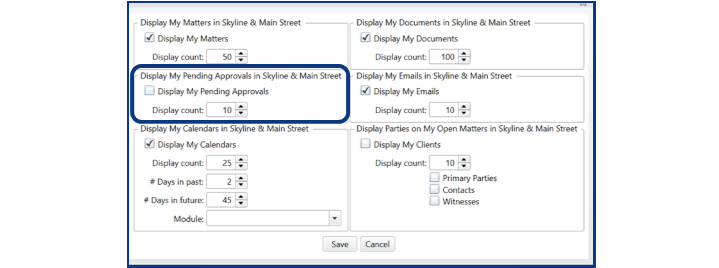
- Skyline View: Added My Pending Approvals Grid to Skyline. If using the Document Approval Feature, a Pending Approvals grid is available for selection under Tools, My Preferences, Skyline & Main St. View Settings.
Fixes
- Resolved: New button in the attachments tab in any module does not work.
- Resolved: Exporting Email from Outlook to CityLaw gets an Out of Memory Message.
- Resolved: UDF text field in Litigation not displaying on basic screen.
1.4338
Released: April 10, 2019.
Enhancements
- Contract Management: Spending Limit Warning with Password Override. Where spending limits are specified in CityLaw / CountyLaw, if a contract exceeds the limit, users will get a warning and be required to enter a password.

- Calendar: Added calendaring to Enterprise Wide Staff. CityLaw / CountyLaw Calendar has been added for use by users designated as Enterprise Wide Staff, limiting access to CityLaw / CountyLaw.
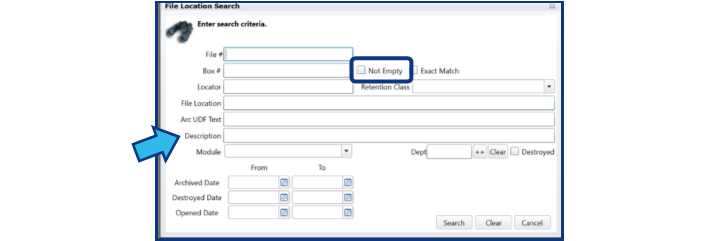
- Records Management: Adds a box to limit the search to all records that have a box number filled in.
- System Management: Outside Counsel expanded to allow for 7 characters in the ID field.
- Litigation/Claims: Insurance Fund field added on basic screen (optional). This can be turned on by Cycom Support.
Fixes
- Resolved: Liability Payment Register error when exporting to Excel.
- Resolved: Liability Register gave an error when exporting to Excel.
- Resolved: Can’t delete more than one calendar trigger.
- Resolved: Expert Witness Report formatting.
- Resolved: Dates should not be auto-populating from Claims Entry form to basic screen.
- Resolved: Searching for Approval Step populates the Atty search field in CM.
- Resolved: Record Management Tracking missing UDF field in Search Results.
- Resolved: Cross referencing from the new entry screen does not work.
- Resolved: Vendors/Payees on Basic & Line Items tab don't match the Payment matter.
- Resolved: Editing another users payment entry clears out entered data.
- Resolved: Line items from Basic screen don't match the Line Items screen.
- Resolved: Payment list does not show column headers on page 2 when long titles are used.
- Resolved: File Management Search should include contents tab when Include Item is checked.
- Resolved: When RMAT is enabled it should be hidden from Litigation new entry screen.
- Resolved: Team on calendar entry sometimes not matching Basic matter screen's team.
- Resolved: Include the Close Matter button in the settings for status options.
- Resolved: Document Workflows needs to check for active CyNet Office File Manager.
- Resolved: Prosecution Subpoena Tab Appearance date does not get the date correctly.
- Resolved: Claims New Entry form not using custom label for Served Date.
1.4348
Released: April 12, 2019.
Enhancements
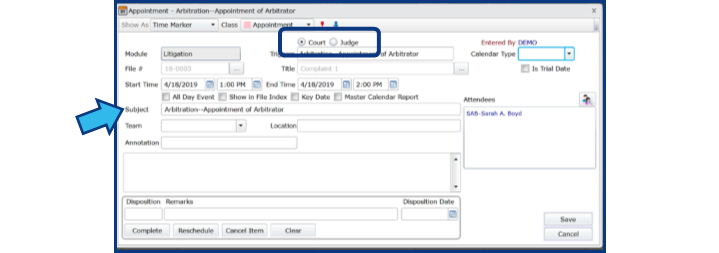
- Calendar Rules: Adding a Trigger that has triggers prior to date of entry. Enables the ability to add additional “Trigger” entries in cases where there is already a trigger event calendared.
- Calendar Rules: Event Subject added. Instead of “Subject” auto populating what is identified in the Calendar Type field when using Calendar Rules, “Subject” auto populates the “Trigger” identified.
- System Management: All State Abbreviations should be in two Letter CAPs.
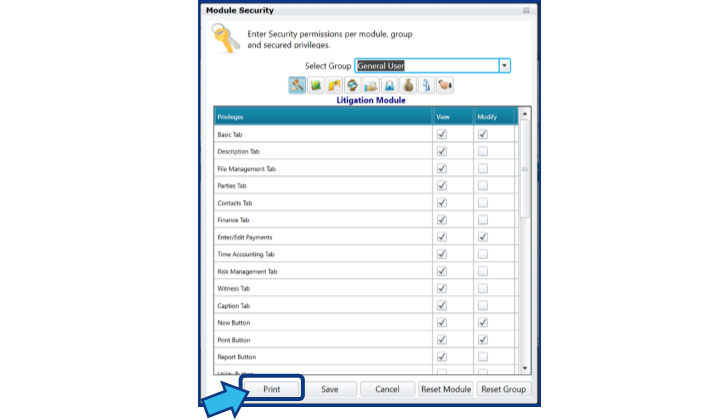
- System Management: User Set Up and Security New Print Button and change of button location.
Fixes
- Resolved: RMAT Document Category in System Management not saving.
- Resolved: Font Size in Configure Email Acct not working with attachments.
- Resolved: Changing event date to an earlier date doesn’t change the end date.
- Resolved: Page Break by Staff is not working on the Auto Calendar Sync Report.
1.4355
Released: April 17, 2019.
Enhancements
- Memory Management: Monitor memory usage of the browser and notify user if too high. If IE is shutting down while using CityLaw, we now have a Memory Management Tool that monitors the memory usage of the browser and will automatically send the user an email advising them that the memory usage is too high, and they should save their work and close/reopen IE.
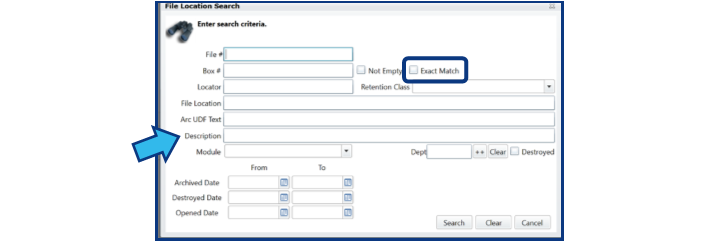
- Records Management: Add Description and Exact Match for Box # to File Location Search.
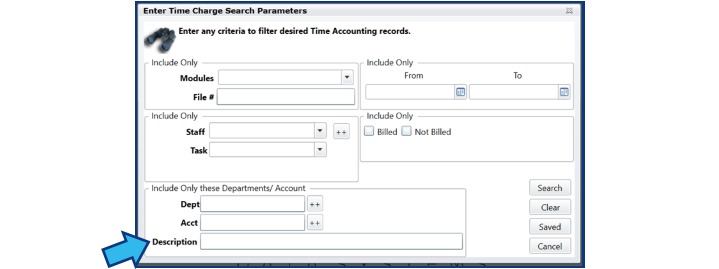
- Time Accounting: Search by Description field added.
Fixes
- Resolved: Global Matters Report affected by Skyline Attorney Preferences.
- Resolved: CM payment edit - Unable to edit Matter, Contract, PO, or Voucher.
- Resolved: Pay Module does not Allow the option of picking a Matter.
- Resolved: Memory Management - IE runs out of memory.
- Resolved: Time Custom Select report not exporting data to Excel.
1.4385
Released: May 20, 2019.
Enhancements
- Time Accounting: Added new Staff Billable & Non-Billed Summary option. When selected, options for Calendar date range, Staff Names, number of records to show, and selection criteria become available.


Fixes
- Resolved: Change of Staff from Basic tab does not change staff assigned to current and future Calendar events.
- Resolved: Company field in People tab should allow up to 60 characters.
- Resolved: CyNetOfficeFileMgr inactive warning does not appear when a document with a DocProfile advanced property (Workflow trigger) is selected while CyNetOfficeFileMgr is not active.
- Resolved: Description Tab added to File Management Module in Module Security, accessible from User Setup and Security.
- Resolved: Detail Page report does not print each matter on new page.
- Resolved: Emailing a subpoena does not work if the person has an email address in their contact information.
- Resolved: File # and Title are overwritten by Parties when running a custom report in Litigation.
- Resolved: Filtering Group Calendar by Team and selecting Class View does not appropriately display appointments.
- Resolved: Number of days into the future limit for calendar event workflows increased from 30 to 730.
- Resolved: Redundant Calendar Rules events included from generated events list.
- Resolved: Total Expenses vs. Indemnity Payout report includes values marked with “Exclude from calculations”.
1.4395
Released: May 21, 2019.
Enhancements
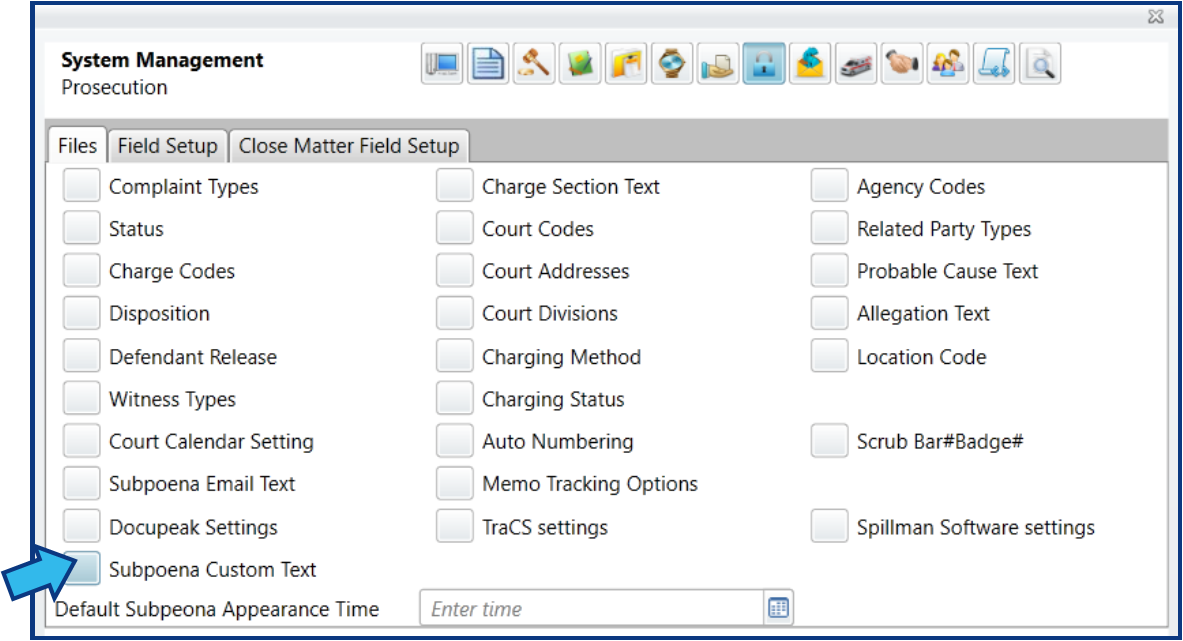
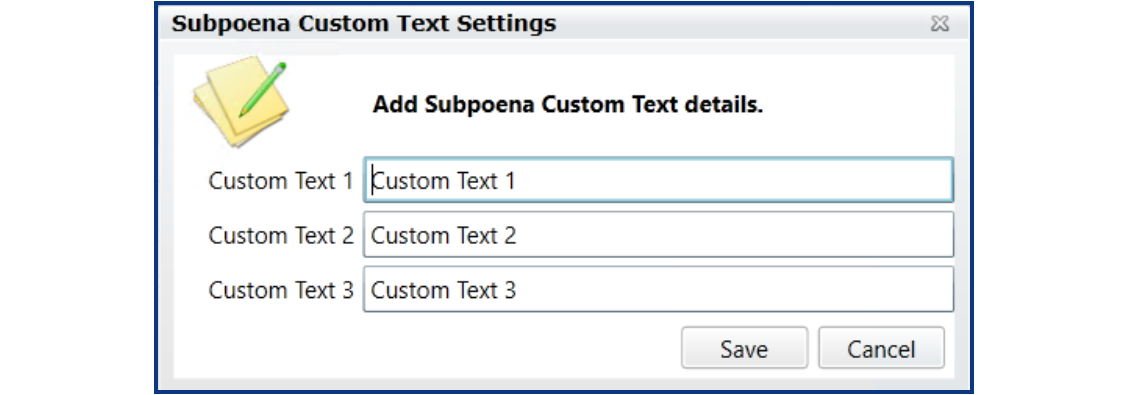
- Prosecution: Added Subpoena Custom Text to enter custom text instructions for subpoenas.
Fixes
- Resolved: Contract Management incorrectly has Close Matter Fields.
- Resolved: Printing subpoenas does not display the correct state.
1.4401
Released: May 23, 2019.
Fixes
- Resolved: Calendar Rules error/success message does not display when trigger is recalculated with new date.
- Resolved: Calendar Rules trigger date does not recalculate properly.
1.4418
Released: May 23, 2019.
Enhancements
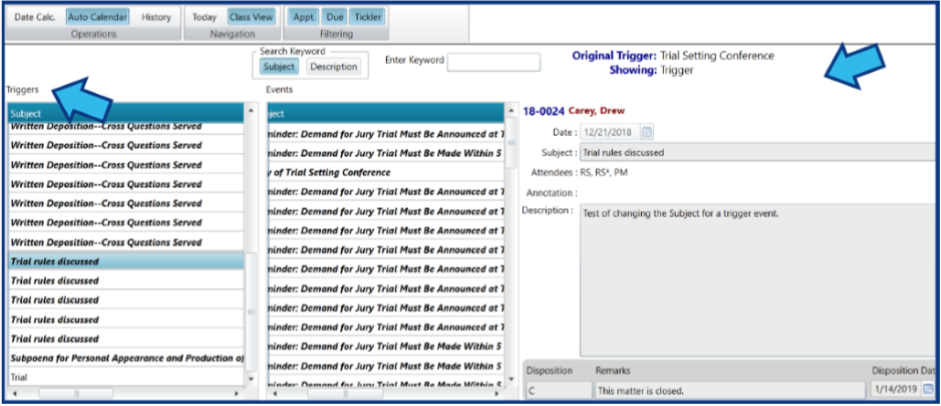
- Calendar: Auto Calendar view displays details on triggers.
- Payments: Added Council File # field to payment entry.

Fixes
- Resolved: Calendar Rules recalculation of trigger inappropriately changes the date(s) of disposed generated event(s).
- Resolved: Expert Witness expenses not displayed in the sub-total area of the Financial Summary.
Comments
0 comments
Please sign in to leave a comment.