
1.4423
Released: June 3, 2019.
Fixes
- Resolved: Calendar attendees do not display consistently in Class View.
- Resolved: Skyline My Pending Approvals right-click options are inactive.
- Resolved: Instructions for financial consolidation options should be hidden when disabled.
- Resolved: Calendar Rules events and triggers are not saving.
1.4430
Released: June 5, 2019.
Enhancements
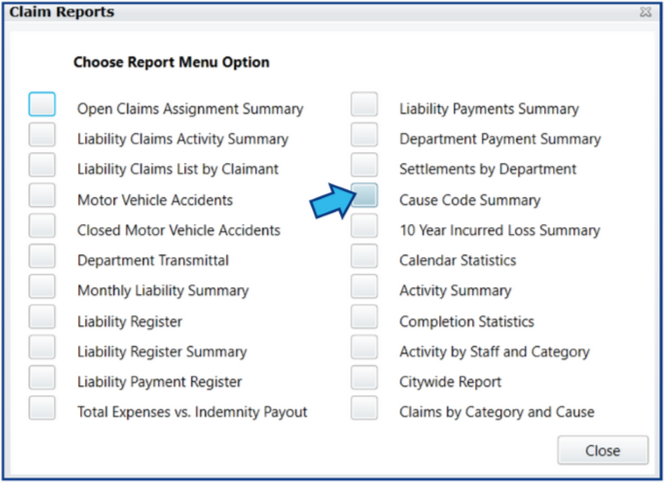
- Claims: Added Litigation Cause Code Summary report to Claims Report Options.
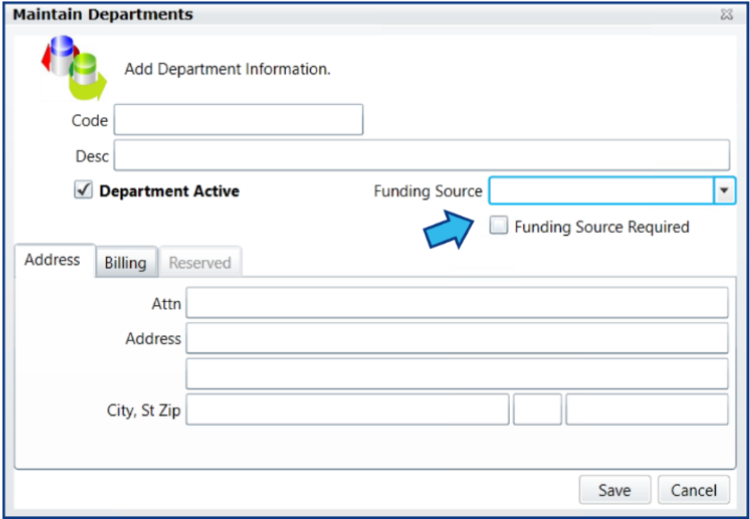
- System Management: Added Default Funding Source and Funding Source Required option to Department Maintenance.
Fixes
- Resolved: System Audit Log filters should affect all pages rather than just the page being viewed.
1.4433
Released: June 6, 2019.
Fixes
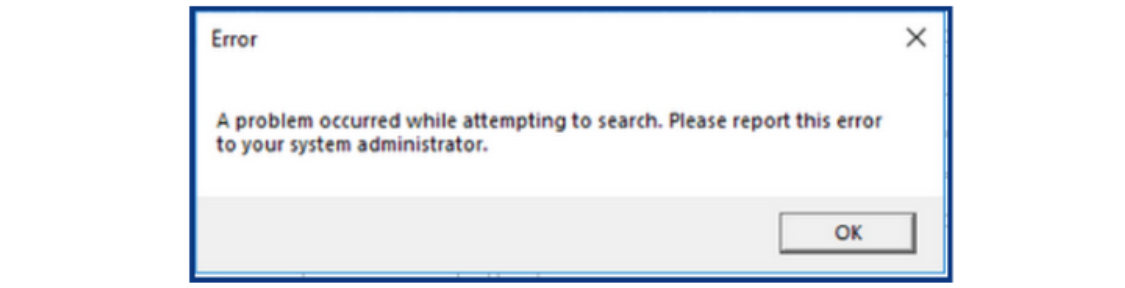
- Resolved: Search in Assignments module produces error.
1.4438
Released: June 11, 2019.
Enhancements
- Customization: Adjusting the size of the search results grid in a module is persistent for that module, even after the module or CityLaw / CountyLaw has been closed.
- Payments: Entry/Edit dialog shows Funding Source field if enabled and displays a required message if set as mandatory requirement for Department.
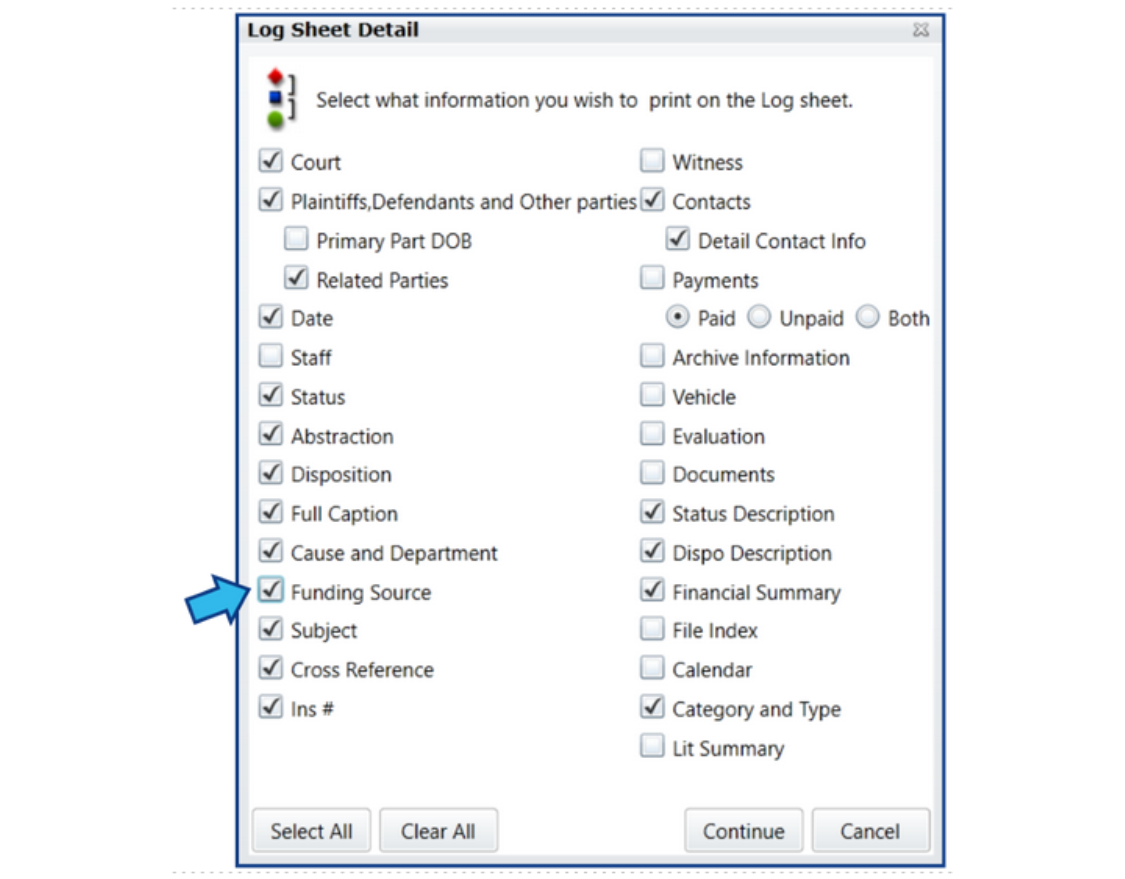
- Reports: Added Funding Source option for Detail Page report for Litigation and Claims.
Fixes
- Resolved: Labor Relations missing the Open/Close options in Status Code settings.
1.4440
Released: June 13, 2019.
Enhancements
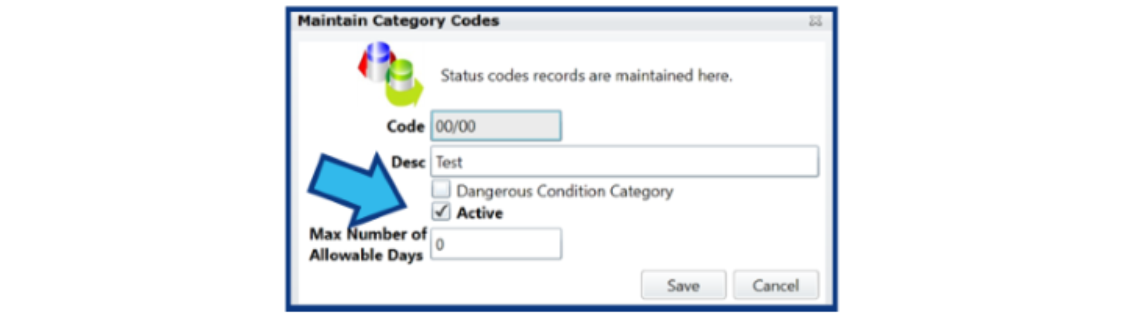
- All Modules: Added ability to inactivate Category Codes.
Fixes
- Resolved: Document workflow emails not being sent.
- Resolved: Editing 2nd Calendar Rules event causes browser to crash.
1.4443
Released: June 14, 2019.
Enhancements
- Payments: Added Funding Source prompt when none is selected.
- System Management: Added max # days allowable to Litigation, Claims, and Labor Relations Category codes.
Fixes
- Resolved: Object Code Maintenance Print button unresponsive.
1.4446
Released: June 18, 2019.
Enhancements
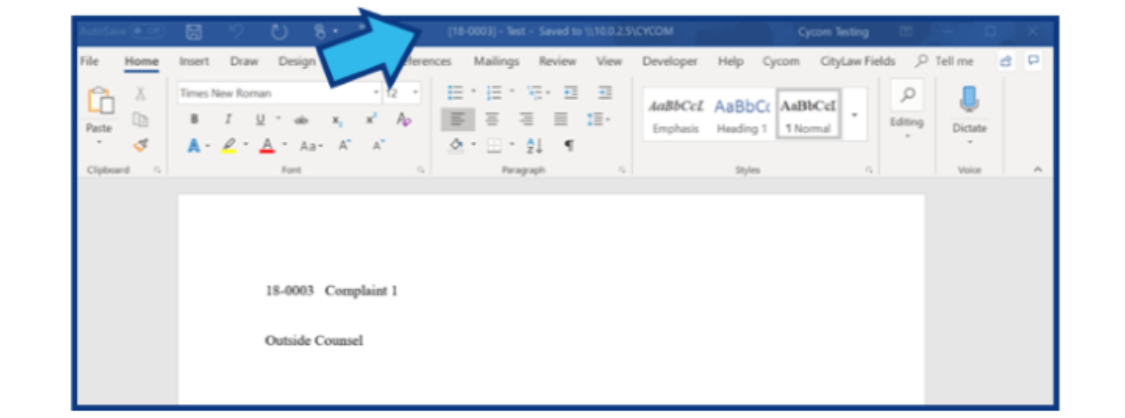
- Word Integration: Added File # to title of document window.
Fixes
- Resolved: Editing a calendar appointment sometimes adds more attendees from the matter.
- Resolved: Calendar and Outlook add-ins update incorrect table.
1.4453
Released: June 24, 2019.
Enhancements
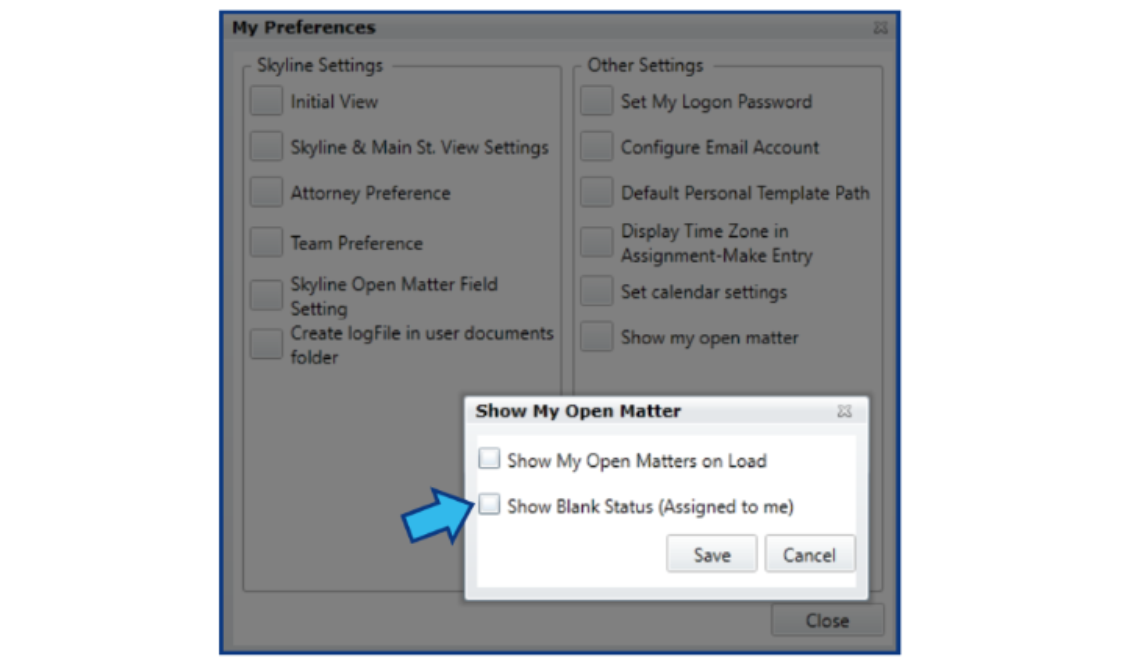
- Customization: Added Show Blank Status option to User Preferences.
- Indemnity Payment Type Field: In Claims and Litigation added drop-down fields for Indemnity Payment Types.
- Reports: Added option in Litigation and Claims to add Export Risk Data report to report menu.
- Reports: Added Export to Excel for Liability Payment Register report.
Fixes
- Resolved: Litigation Detail Page report pulling data from incorrect table.
- Resolved: Contract Management New Change Order screen not showing proper values.
1.4460
Released: June 26, 2019.
Enhancements
- Skyline and Main St. Views: Improved heading labels to be more descriptive and consistent.
- Visual Enhancement: Added option to display a red background on Incident date in Litigation, Claims, Labor Relations, and Workers Comp modules when the number of days between the Filed date and the Incident date is greater than the number of allowable days for the specified Category code on the matter.

Fixes
- Resolved: Meeting type deletes on editing a note when focus changes to another field.
- Resolved: System Management Close button disappears when entering Field Setup and Close Matter Field Setup.
- Resolved: Print button in Category Codes in File Management section of System Management is unresponsive.
- Resolved: Print button in Type Codes in File Management section of System Management is unresponsive.
- Resolved: Print button in Retention Class Codes in File Management section of System Management is unresponsive.
- Resolved: Print button in Status Codes in File Management section of System Management is unresponsive.
- Resolved: Print button in Subject Codes in File Management section of System Management is unresponsive.
- Resolved: Print button in Topic Codes in File Management section of System Management is unresponsive.
- Resolved: Print button in Item Type Codes in File Management section of System Management is unresponsive.
- Resolved: Calendar Rules Recalc sometimes locks up on Save.
1.4511
Released: July 23, 2019.
Enhancements
- Assignments: Closed Assignments Detail and Open Assignments Detail reports reformatted for readability.
- Assignments: Completion Statistics Report reformatted so end section of matters that don't have an open date begin printing on a new page.
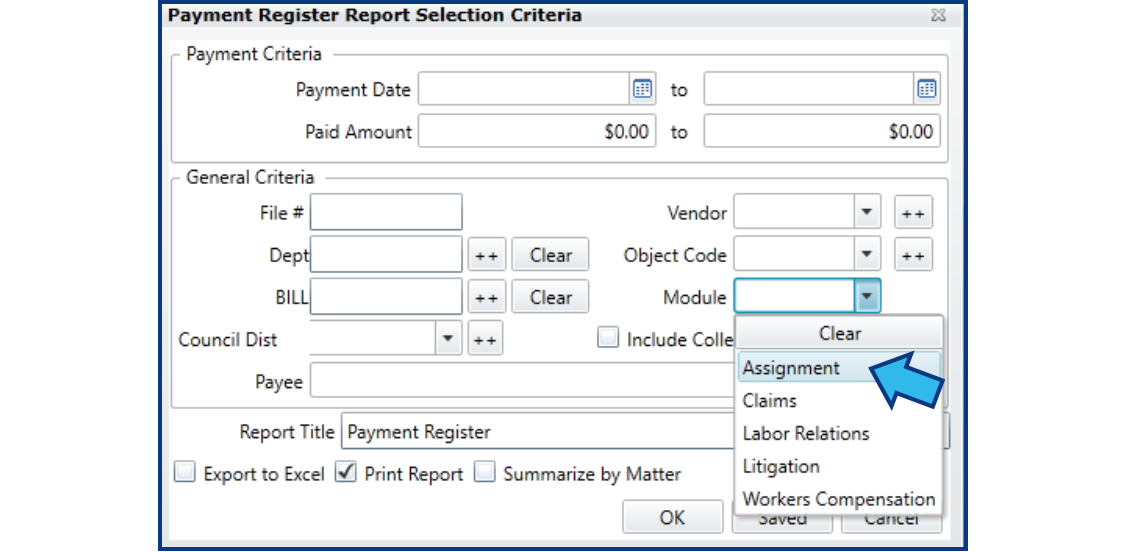
- Global Reports: Added option to select Assignments from the Module drop-down.
Fixes
- Resolved: Search by second attorney only searches for first attorney in the list if more than one are included.
- Resolved: Family Services matters display twice in a Global Matter Search.
- Resolved: Changing a calendar date for an event also changes the time.
- Resolved: Time Custom Selection report, when the option Summarized by File # is selected, does not export data to Excel.
- Resolved: Search for Blanks checkbox on the multi-select for the Assignements Search Priority field does not work.
- Resolved: Audit log record isn't saving which matter is altered when a user changes the status code.
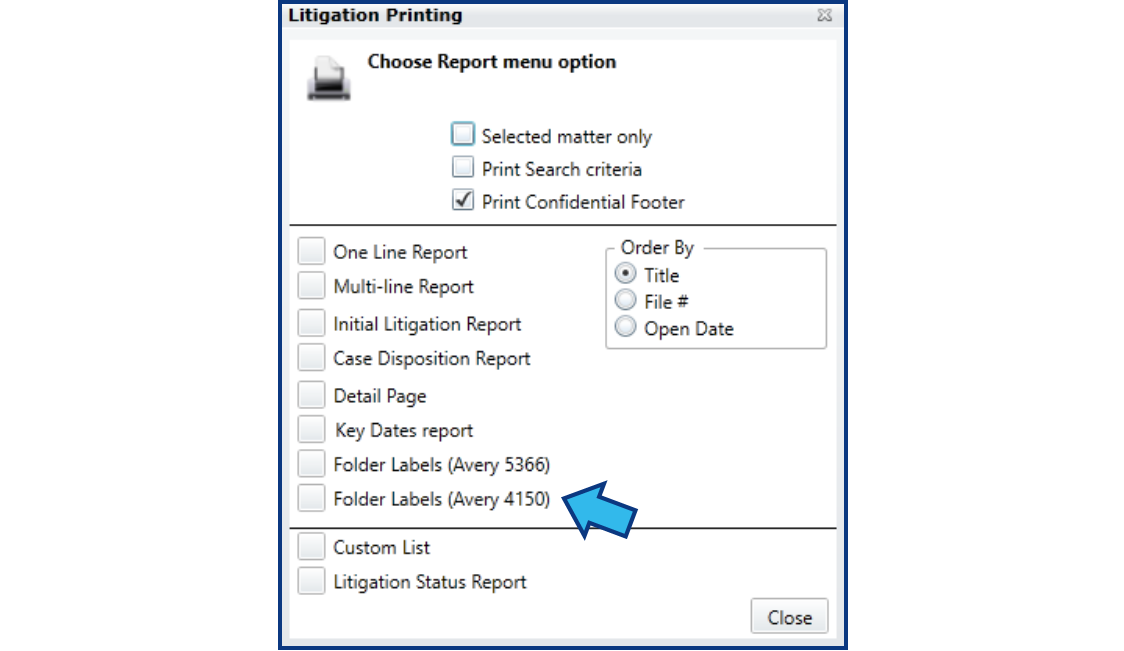
- Resolved: Folder Labels (Avery 5366) and Folder Labels (Avery 4150) save with the wrong name.
- Resolved: Contract Management spending limit warning displays no matter the amount.
1.4556
Released: August 16, 2019.
Enhancements
- Calendar: Added automatic reassignment of attendees for future calendar events on a matter when staff is changed. Events are reassigned based on staff entered on the matter, first attempting reassignment to first attorney, then second attorney, investigator, and finally to general staff. Future events without an attendee are assigned to the new staff member. If events are assigned to the new staff member, a message displays alerting this was done.
- Calendar: Added warning message to enter an attendee if the field is left blank when entering a new appointment, due date, or tickler.
- File Management: In the Contents tab, added ability to highlight and double-click with mouse to open a file.
- Litigation: Reformatted payment entry screen to display Funding Source clearly.
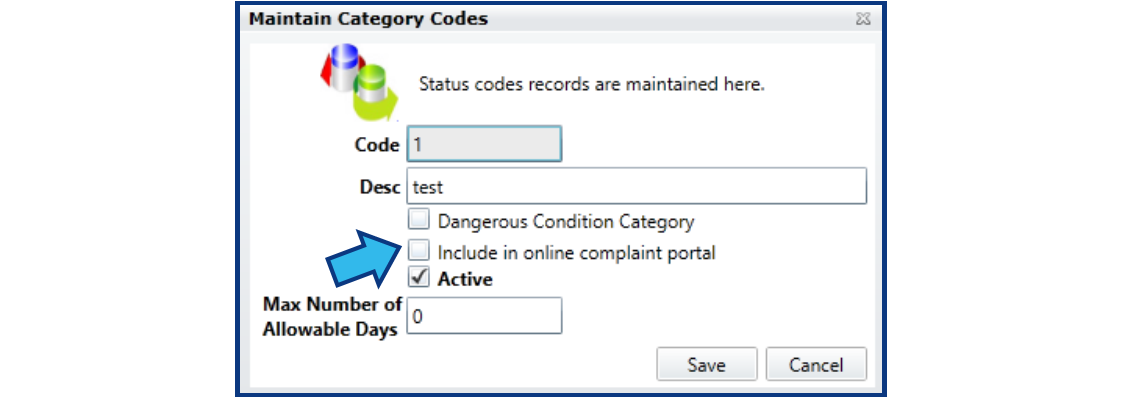
- Litigation: Added checkbox in System Management: Litigation > Category Codes > Maintain Category Codes window to include the category in the online complaint portal.
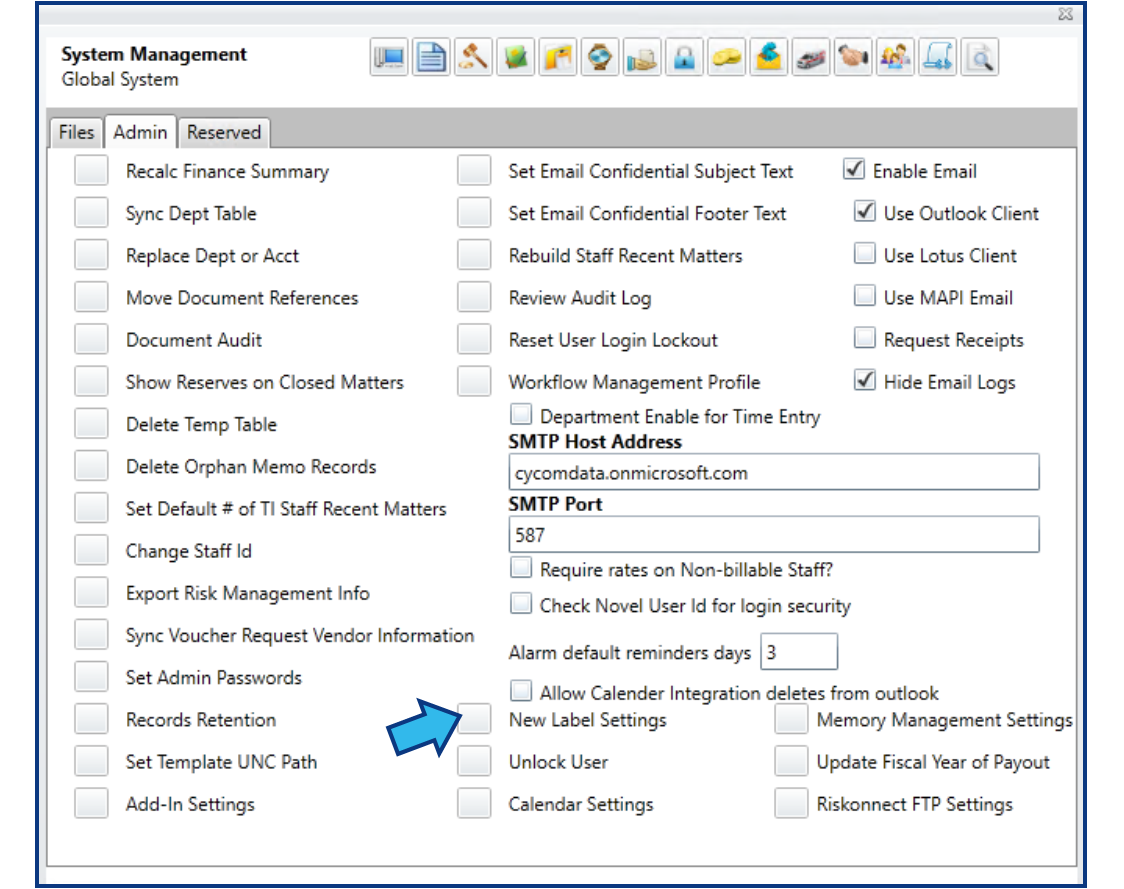
- System: Added ability to change the Attorney label for each module.
Fixes
- Resolved: Print button in System Management > Staff Types > Staff Type Maintenance window does nothing.
- Resolved: Titles on System Management: Assignments windows are incorrect.
- Resolved: Title on Track Code Listing report window is incorrect.
- Resolved: The Document Audit report total number of documents displays on two lines instead of one.
1.4591
Released: August 30, 2019.
Enhancements
- Global: Added automatic validation of Outlook Exchange email credentials on CityLaw / CountyLaw login or when changing the email password. If a user changes their Outlook Exchange email password but has not updated the credentials in CityLaw / CountyLaw, or if they enter invalid credentials, a prompt alerts to reset email credentials.
- Litigation: Added option to Print Labels (Avery 4150).
- Litigation: Modified Division Management Report in the Litigation Management Reports sub menu.
- Litigation: Increased the allowable characters for the UDF field to twenty to display more meaningfully in custom reports.
Fixes
- Resolved: Document titles change to numeric title when exporting more than one from CityLaw / CountyLaw.
- Resolved: When importing multiple documents, the File Index ID does not increment.
- Resolved: Time Accounting stop watch feature for entering time not working.
- Resolved: Custom List report produces Object Reference error when Total Expenditures is included as a criteria.
- Resolved: Custom List report does not display Trial Date completely.
1.4595
Released: September 4, 2019.
Fixes
- Resolved: Login validation does not function correctly.
1.4611
Released: September 12, 2019.
Enhancements
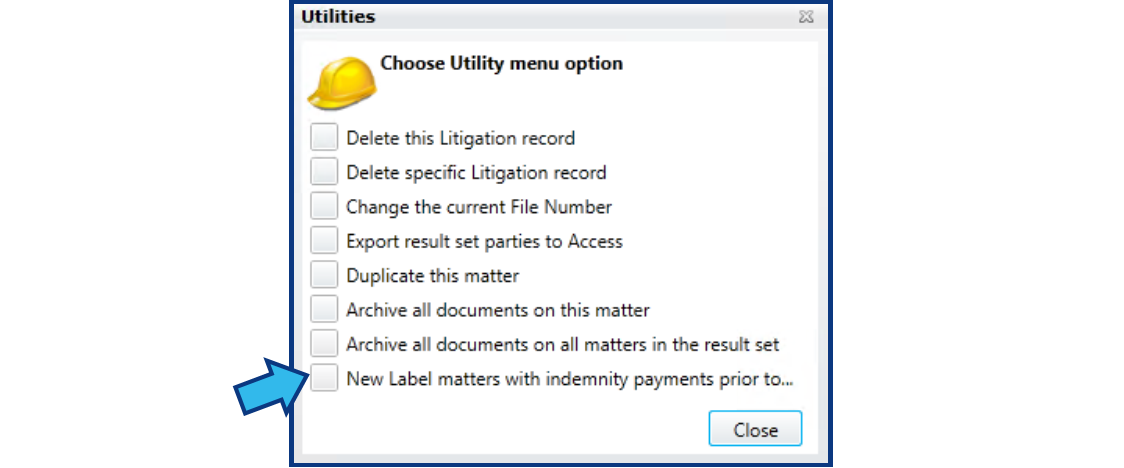
- System Management: Added ability to customize label for Legal Hold Settings and added option on Utility button to mark all matters in the module by this setting if they have indemnity payments prior to a date specified by the user.
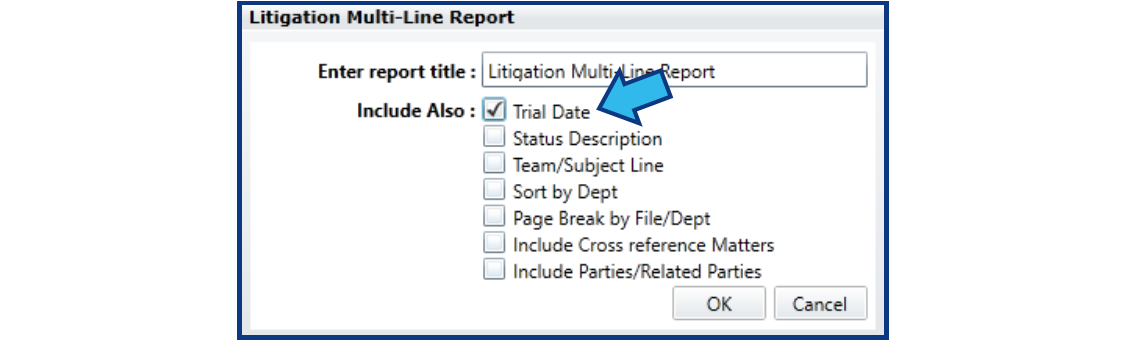
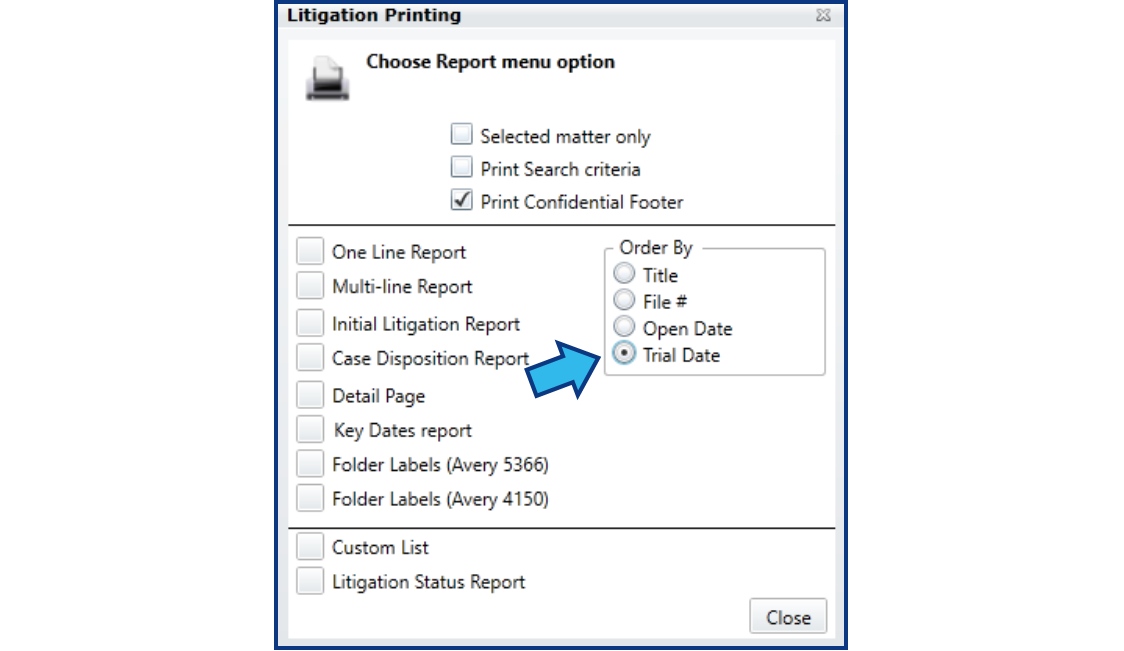
- Litigation: Added Trial Date to Multi-Line and Detail Page Reports with ability to sort by Trial Date order.
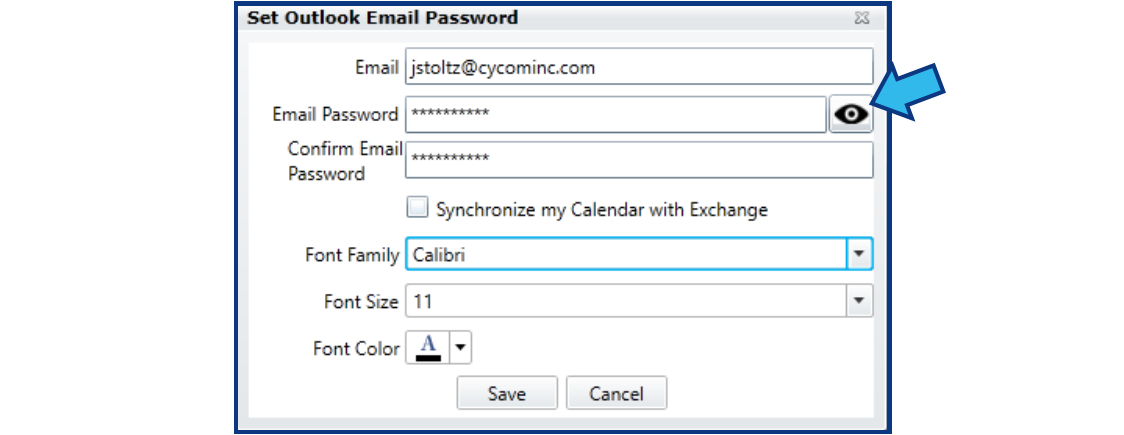
- Global: Added option to show Outlook Email password in the Set Outlook Email Password window after selecting My Preferences and Configure Email Account.
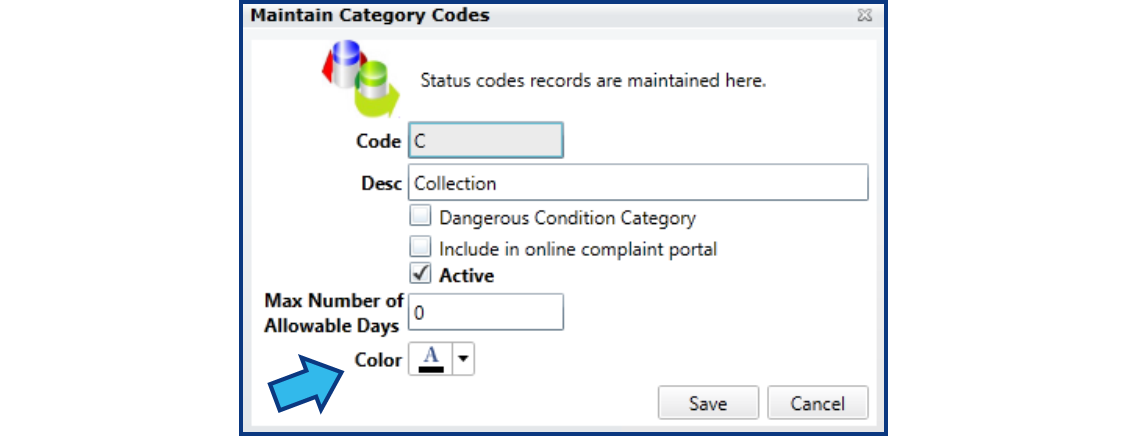
- Litigation, Claims, Labor Relations: Added color code selection field to Category Codes maintenance windows for these modules. Changes the background color of the Title and Category code on the basic screen and in search lists.
Fixes
- Resolved: Division Management report in Litigation does not remember selections.
Comments
0 comments
Please sign in to leave a comment.