
1.4636
Released: October 9, 2019.
Fixes
- Resolved: Blank Passwords are not Allowed option does not notify when blank password is set for user.
- Resolved: Error occurs when more than 1 "Found in" box is checked.
- Resolved: Label for Site Preference option to bypass the login prompt is confusing.
1.4691
Released: October 22, 2019.
Enhancements
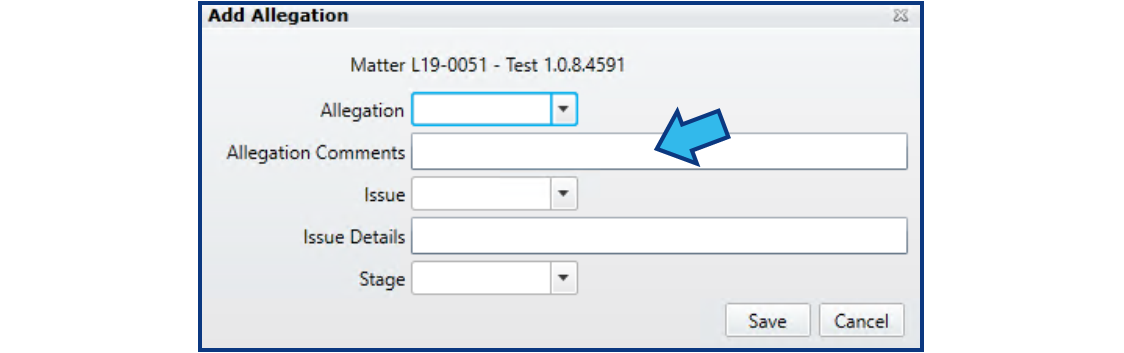
- Litigation, Labor Relations: Added Allegation description field to New / Edit Allegation dialog.
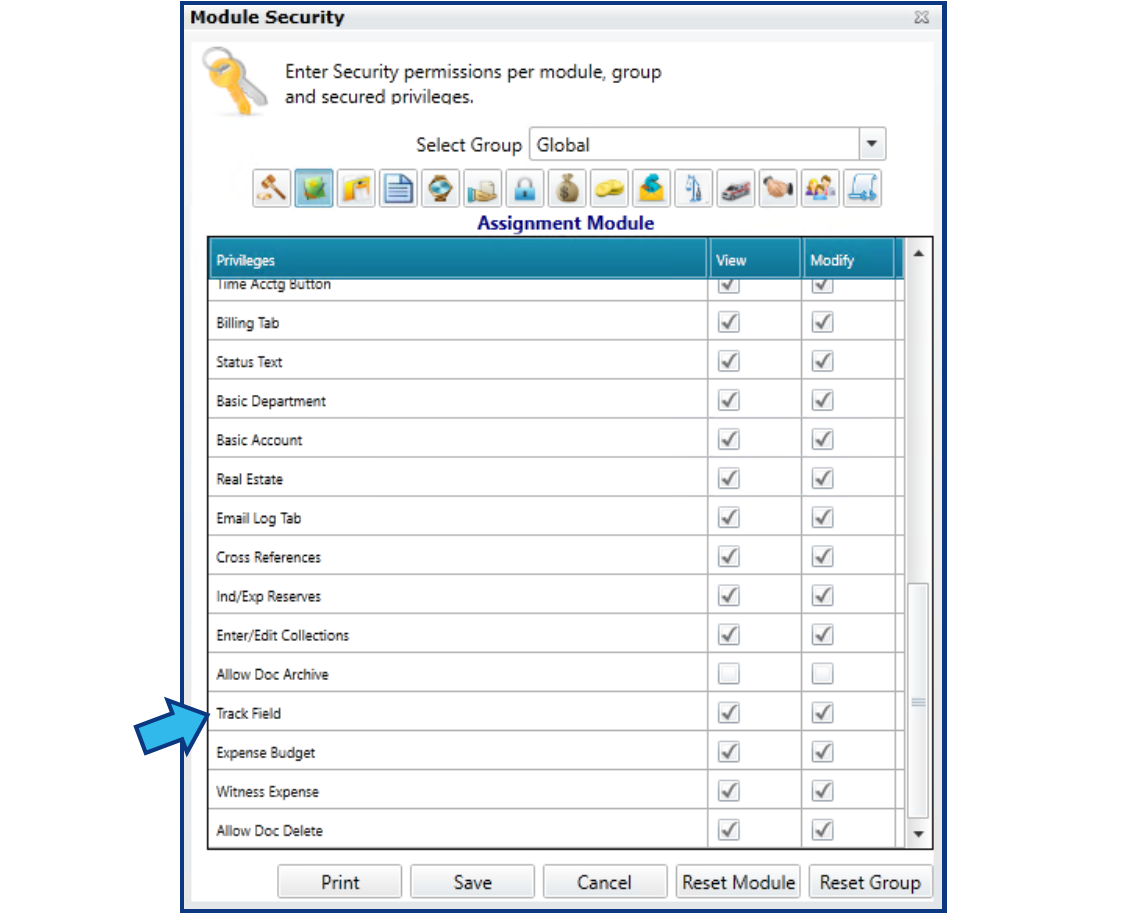
- Assignments, Subrogation, Worker's Compensation, Labor Relations, Family Services: Added Track Field to User Setup and Security View / Modify privileges.
Fixes
- Resolved: Assignment Category codes do not display alphabetically in drop-down.
- Resolved: Select Outside Counsel ID and Description column headings do not sort in ascending or descending order on left-click.
- Resolved: Assignments Close Matter button is not active with matter selected.
- Resolved: Adding Defendant in Prosecution matter adds multiple defendants.
- Resolved: OutOfRange_index error when adding Staff to Prosecution matter.
- Resolved: Skyline and Main Street View not showing blank status matters consistently.
1.4719
Released: November 12, 2019.
Fixes
- Resolved: Prosecution Case Detail report produces Object Reference error.
- Resolved: Litigation cross-referencing from New matter entry screen not working.
- Resolved: Litigation report label does not show customized attorney label.
- Resolved: Litigation Activity Summary report does not show open matters.
- Resolved: Duplicate ID's are allowed, but should be unique.
- Resolved: Asterisk not displaying beside all required fields in new entry screen.
- Resolved: Newly entered status entries disappear when leaving the Status tab.
1.4727
Released: November 19, 2019.
Enhancements
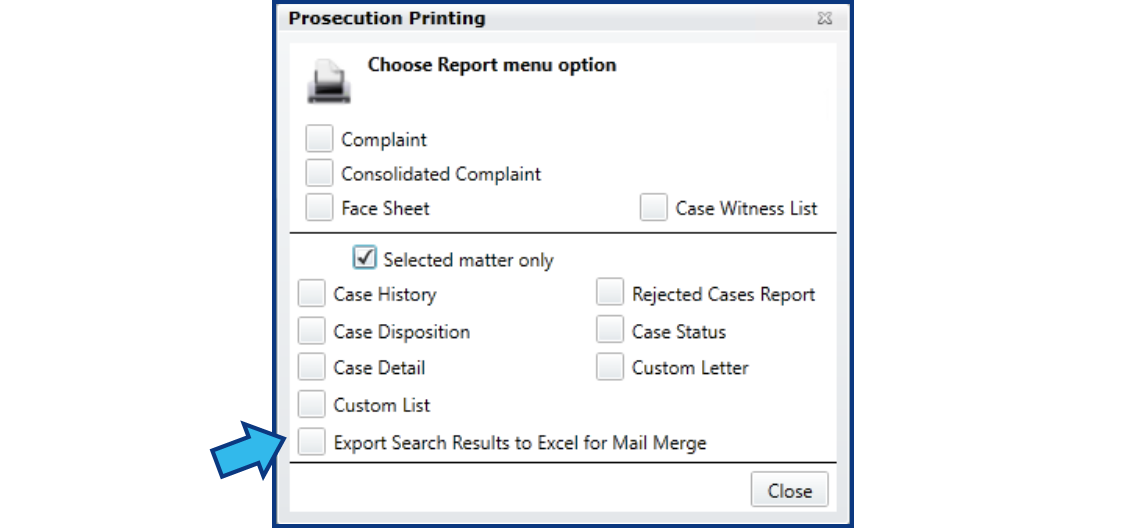
- Prosecution: Add button to Print menu for "Export Search Results to Excel for Mail Merge" which produces PRExportResults.xlsx spreadsheet which can be used with Microsoft Word Mail Merge.
- Time Accounting: Increased character limit of time description to 500 characters. The Time by File report previously cut this field to 77 characters.
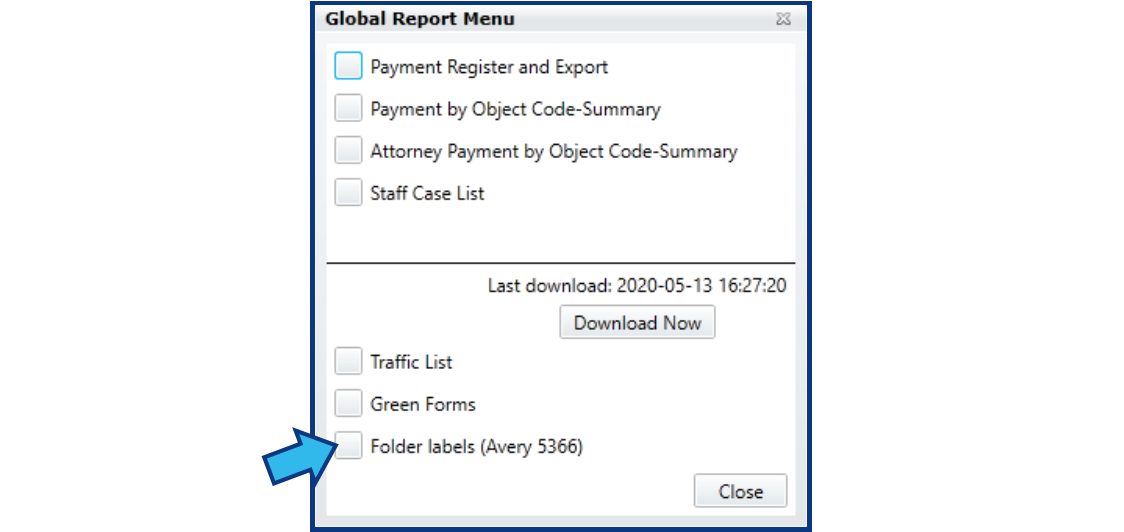
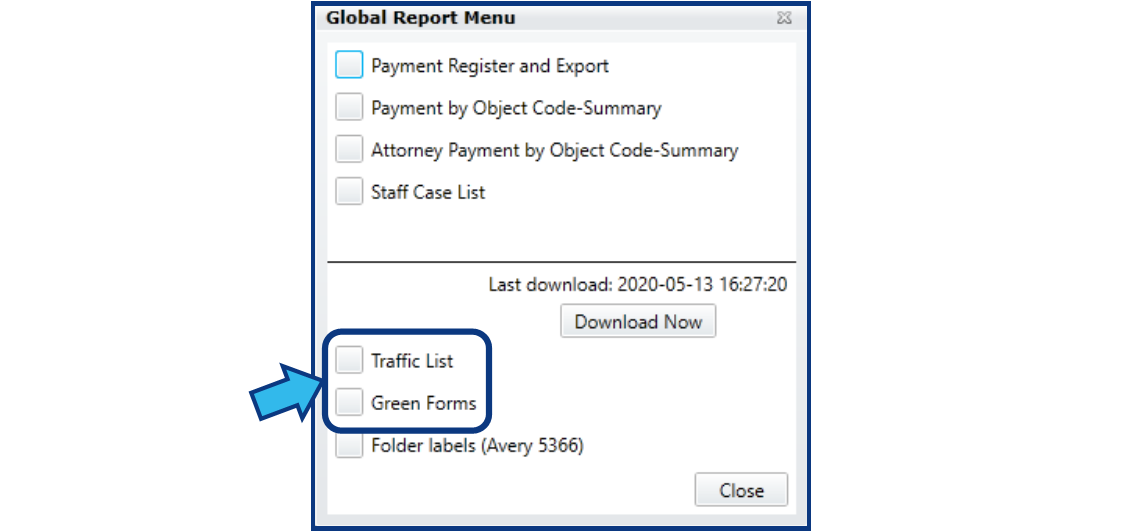
- Global Reports: Add button to Global Reports menu for "Folder labels (Avery 5366)". TiPSS integration must be turned on to see this feature. This button allows printing of folder labels for all matters found in the TiPSS txt files that normally show up on the Traffic List.
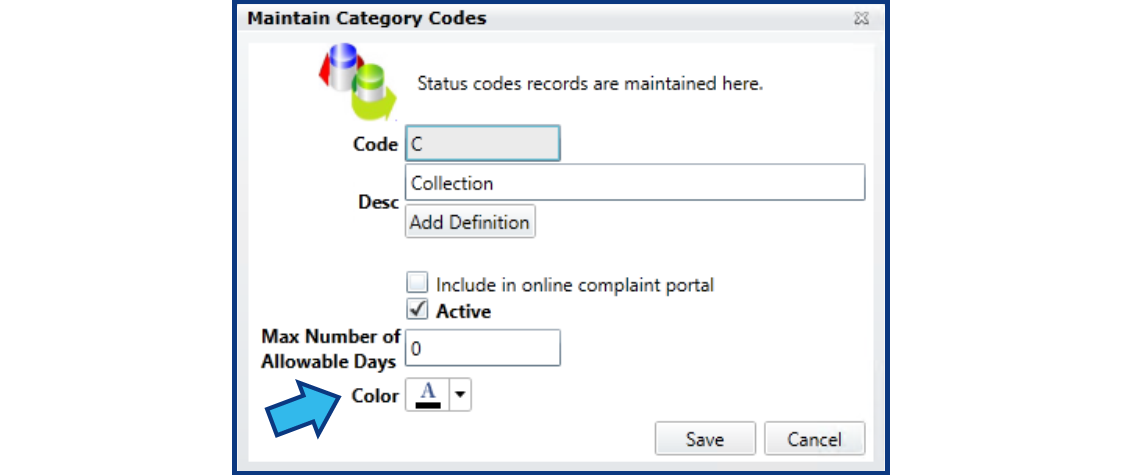
- Litigation, Claims, Labor Relations: Color code option added for Category.
Fixes
- Resolved: Attorney Payment by Object Code Summary produces Object Reference error.
- Resolved: Adding an attendee to a trigger does not show attendee on future events until another attendee is added.
- Resolved: Report options in Time Accounting module does not allow Search for Blank to be used. On selecting OK, the option unchecks.
1.4736
Released: November 22, 2019.
Enhancements
- Global Reports: Add integration with Titan Public Safety Solutions (TiPSS) system for printing Traffic List and Green Form.
Fixes
- Resolved: In Prosecution module, in the Subpoena tab, emailing a subpoena to a victim or witness does not populate their address in Outlook as it should.
- Resolved: In Prosecution module, in the Defendant tab, new Defendants not being added when person is selected from the Find a Person dialog window after selecting New.
1.4747
Released: November 29, 2019.
Fixes
- Resolved: In Prosecution module, in the Subpoena tab, the court appearance time shows as 12 AM instead of the time selected in the calendar event.
- Resolved: In Prosecution module, in the Witness tab, options entered for Time, Agency, and checks for Subpoena and Arresting Officer do not persist.
1.4750
Released: December 2, 2019.
Enhancements
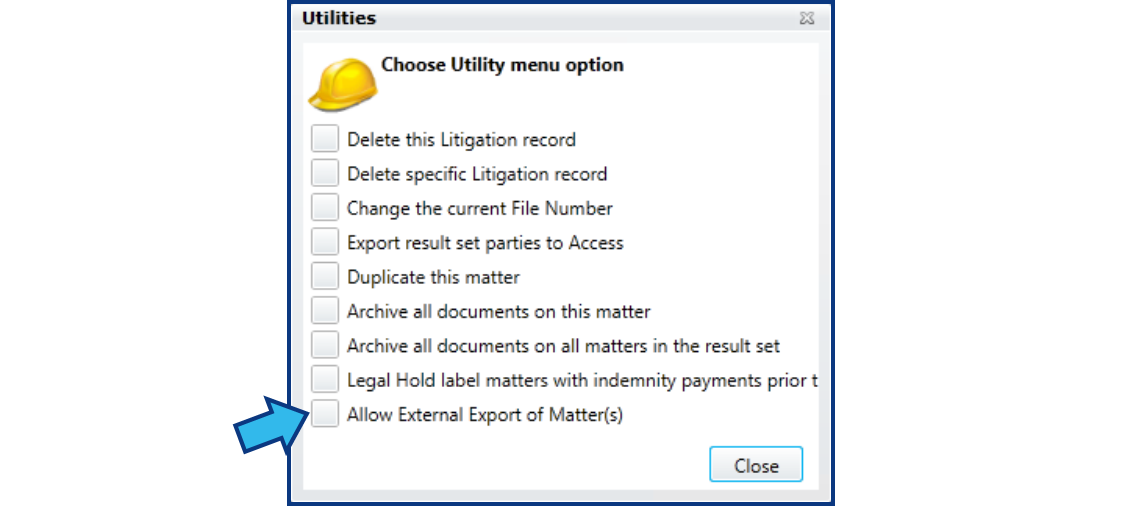
- Litigation: Add button to allow external export of matter. This is to be used by sites managing multiple databases to be able to export a matter from one database to another.
1.4757
Released: December 3, 2019.
Fixes
- Resolved: Allegations grid displays Allegation Description instead of Allegation Comment.
- Resolved: Allegations grid displays Issue code instead of Issue description.
1.4761
Released: December 4, 2019.
Enhancements
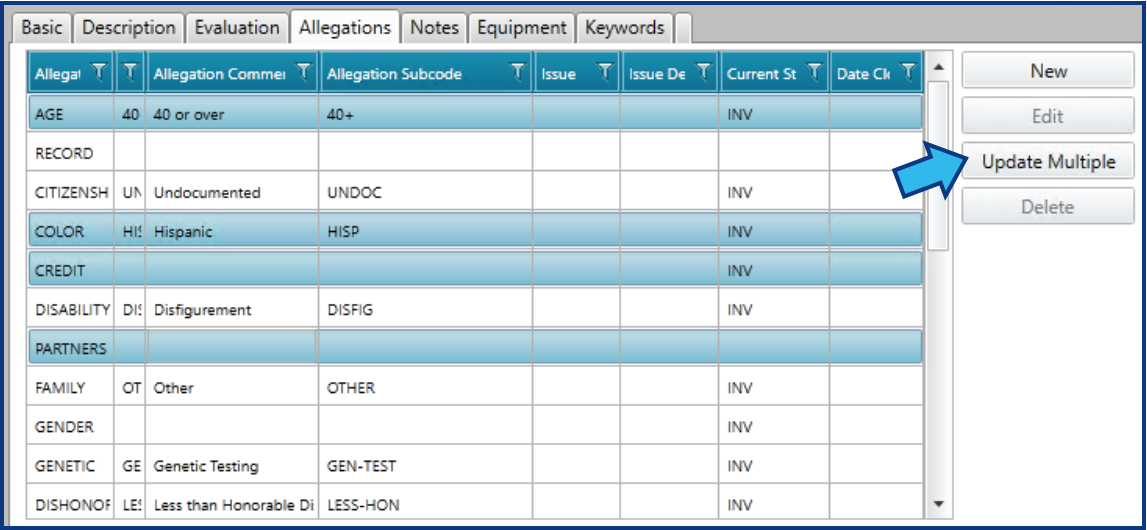
- Litigation, Labor Relations: Add Update Multiple button to Allegations tab that allows multiple allegations to be edited in bulk.
Fixes
- Resolved: Attempting external export produces error (shown below).

1.4764
Released: December 5, 2019.
Fixes
- Resolved: In Prosecution module, in Calendar view, Print Report does not include Court #.
- Resolved: In Prosecution module, in Witness tab, Agency code does not persist after moving to another tab.
1.4769
Released: December 9, 2019.
Fixes
- Resolved: In Litigation and Labor Relations modules, in the Allegations tab, when a stage and disposition are mapped to close an allegation and the allegation is disposed, the current date is not being shown as the closed date and the allegation is not being closed.
- Resolved: In System Management for Litigation and Labor Relations, in the Map Dispositions within Stages in the Allegations Configuration sub-menu, only the codes for Next Auto Stage are displayed in the drop-down.
- Resolved: In System Management for Litigation and Labor Relations in the Allegations Configuration sub-menu, the codes displayed in maintenance dialogs are not in alpha-numeric order by default.
1.4775
Released: December 12, 2019.
Fixes
- Resolved: In Litigation and Labor Relations modules, in the Allegations tab, when the mapping between a stage and disposition has defined a next auto stage and that stage/dispo is applied, the next automatic stage is not created.
- Resolved: In Litigation and Labor Relations modules, in the Allegations tab, when stages are created they are not displayed in order by the date they were created.
- Resolved: In Litigation and Labor Relations modules, in the Allegations tab, the Allegation Comments column displays Allegation Description.
1.4781
Released: December 18, 2019.
Fixes
- Resolved: When Attorney in Basic tab is changed, future calendar events do not update the attendees to reflect the staff change.
- Resolved: In Prosecution module, in Charges tab, when a charge is entered, the Disposition tab in the lower section that appears is not active.
- Resolved: In Prosecution module, in Victim tab, the Relationship to Defendant, Extent of Injury, and Length of Relationship fields and the selection options of Cooperative, Recanting, Unknown, Subpoena, Prior Abuse, and Complainant all go blank after moving to another tab.
Comments
0 comments
Please sign in to leave a comment.