
Need a printable version of this article? Download the Article (PDF Version).
Contents:
Search for Contacts
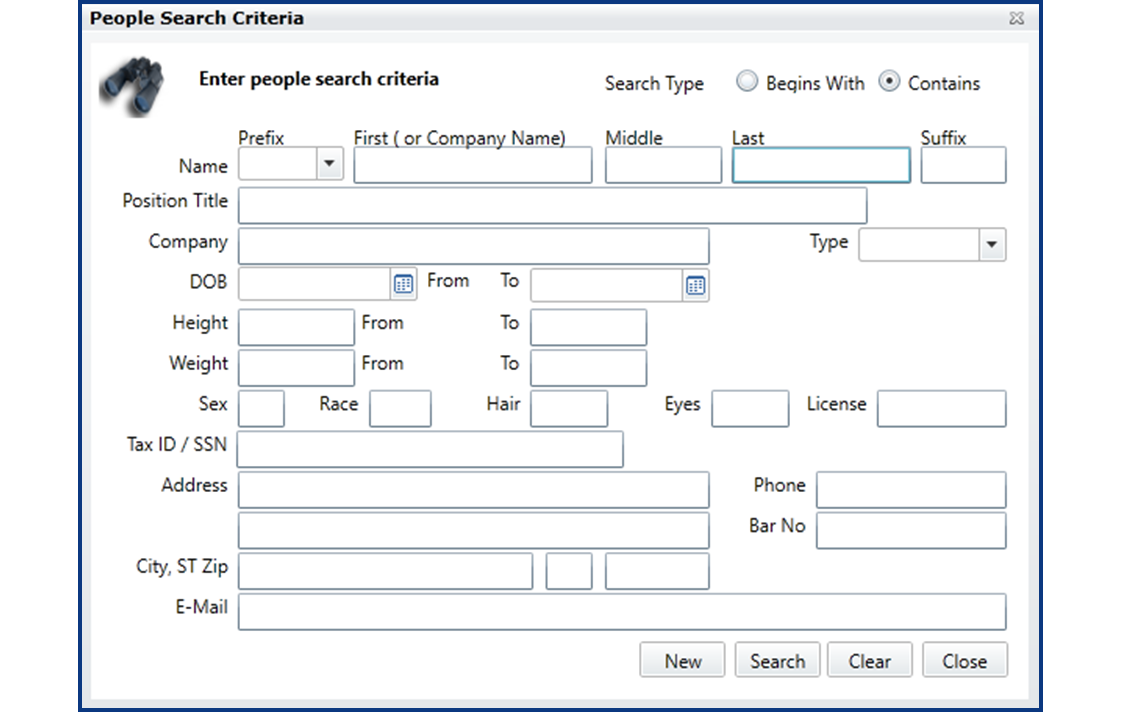
The People Search Criteria window allows you to search for people with a high level of detail. Not only can you search for an individual by name. You can also search by any information found in their contact record. To access the People Search Criteria window, select Find People from the Global Toolbar.

It is also accessible by selecting the Advanced Search button from the Find a Person window when it appears throughout CLW. The Find a Person window appears whenever a person search is initiated. For instance, when selecting New in the Parties tab of the Parties view in the Litigation module, the Find a Person window appears allowing you to locate the person you wish to add.

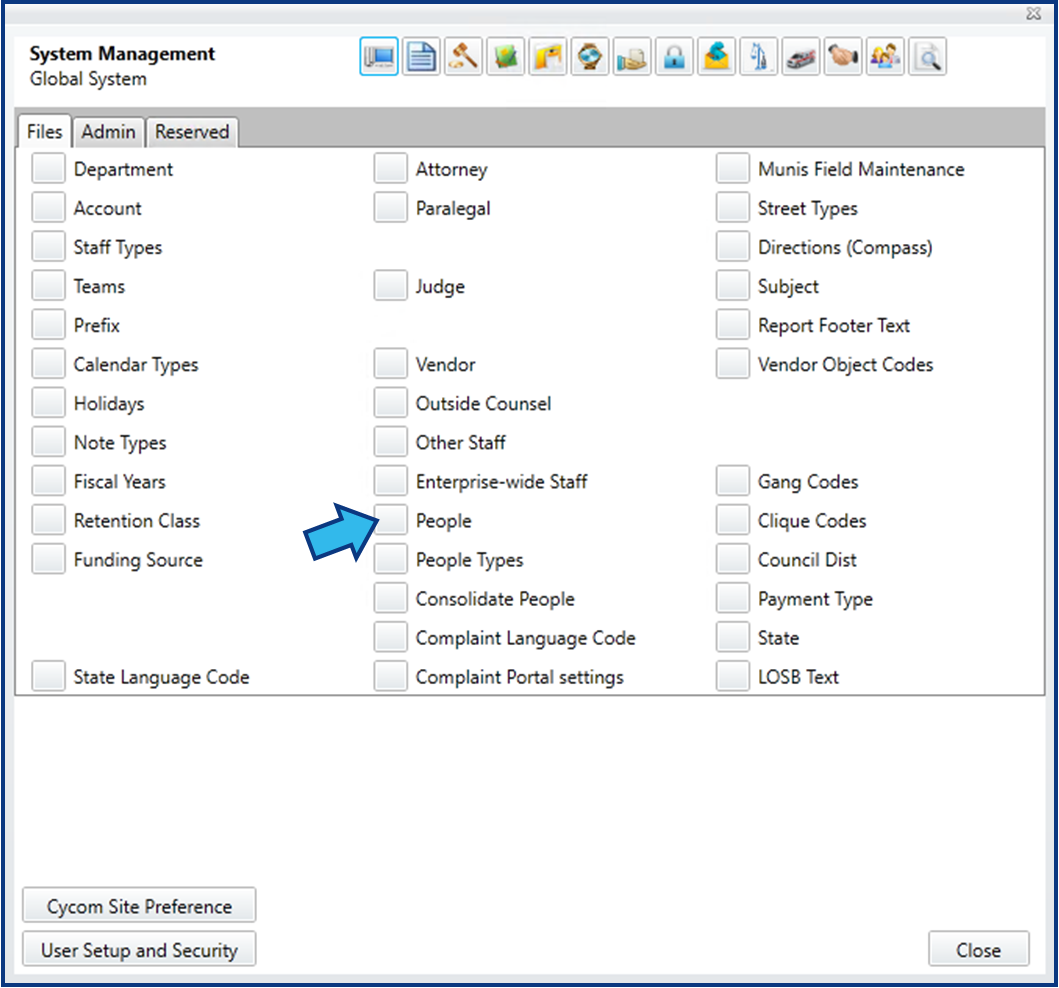
The Find a Person window also appears when selecting People in the Files tab of the Global System view in the System Management module.
On selecting Find People or the Advanced Search button, the People Search Criteria window appears. Enter any search criteria for the person or persons you are trying to identify and then select Search at the bottom right.
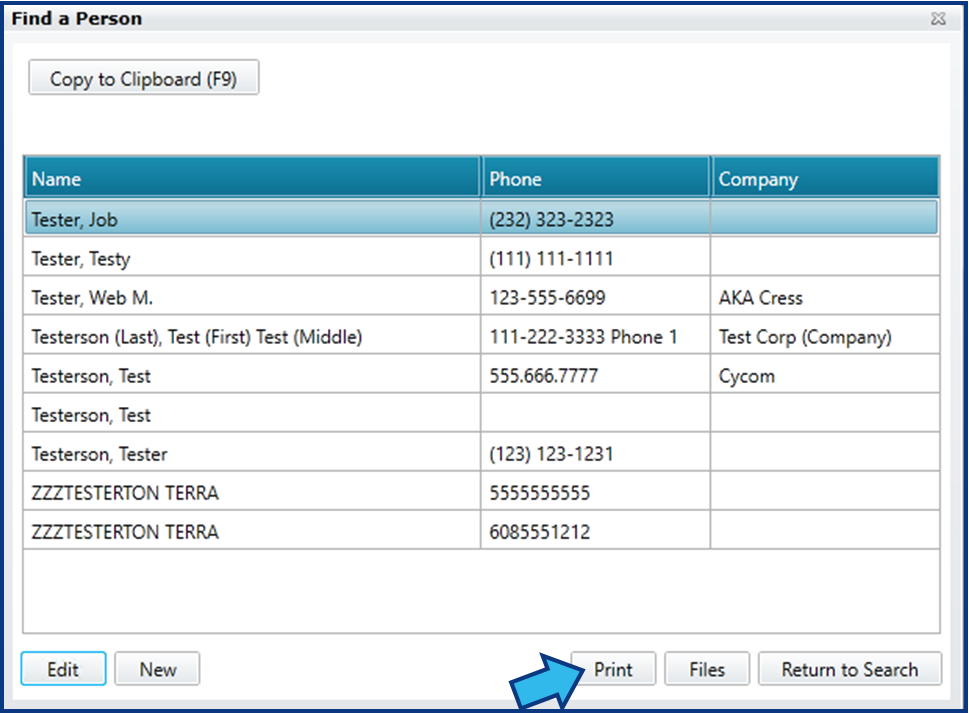
A list of people fitting the parameters of your search will appear. From this list you can do the following: Edit the contact record of anyone in the list by highlighting the person and selecting Edit; Add a new person by selecting New; Print the search results by selecting Print (some exceptions apply, such as when using Advanced Search from the System Management module); and Identify the matters with which a person in the list is associated by selecting Files.
Print Search Results
To print the results of your contact search, press the Print button.
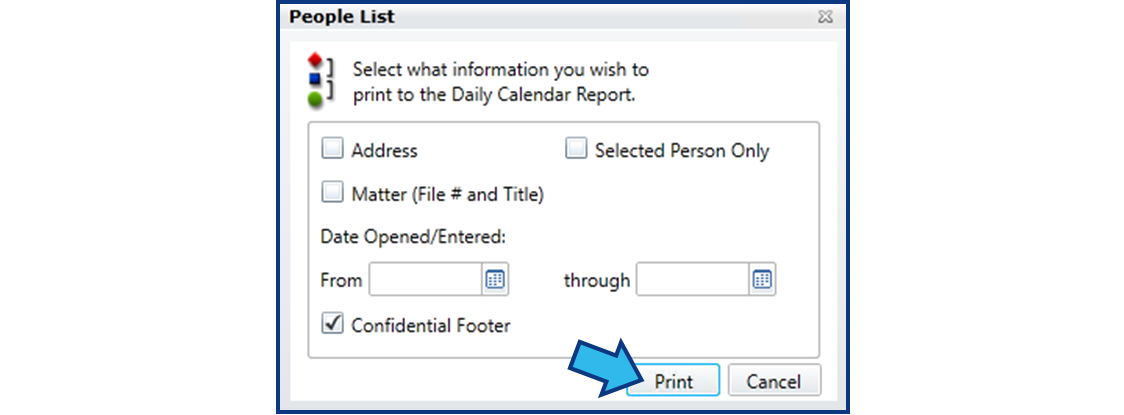
The People List window will appear. Select the information to contain in the report from the options available. To include all the people found in the search, make sure Selected Person Only is unchecked. Once you are satisfied with your selections, select Print.
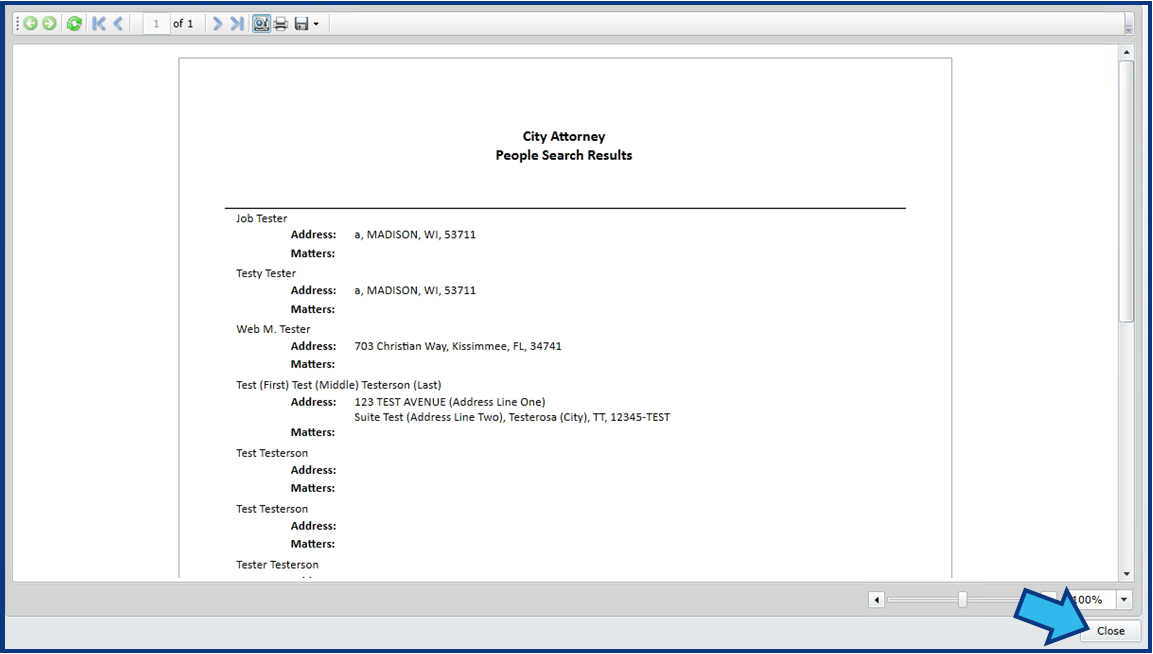
A People Search Results report will open. You can use the print or export buttons to print or export the report. Select Close when you wish to return to your search results list.
People Search Criteria Fields
The People Search Criteria window allows you to search for contacts by any combination of the following fields.
- Name Prefix
- First, Middle, and Last name
- Name Suffix
- Position Title
- Company
- Type code
- Date of Birth ("DOB") range
- Height range
- Weight range
- Sex
- Race
- Hair color
- Eye color
- Driver's license number ("License")
- Tax ID or Social Security Number (SSN)
- Address
- Phone number
- Bar number ("Bar No")
- Email address
Comments
0 comments
Please sign in to leave a comment.