
Need a printable version of this article? Download the Article (PDF Version).
There are 3 ways to open a module in CityLaw / CountyLaw:
- Select a module from the Global Toolbar
- Select a module from the Menu Bar
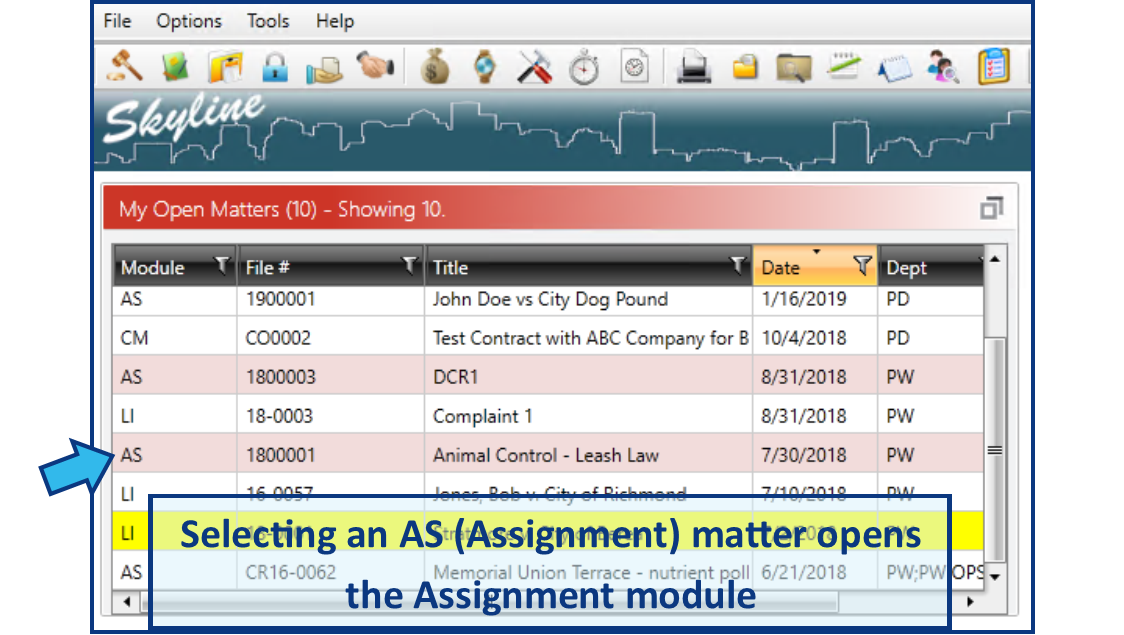
- Select a matter from a table
Select a module from the Global Toolbar
The most efficient way to open a module is to press the module icon on the Global Toolbar. Hovering the mouse pointer over an icon will display the name.

Select a module from the Menu Bar
A module can be opened by selecting File from the Menu Bar and then selecting the desired module from the menu options.

Select a matter from a table
An indirect method to open a module is to select a matter of that module type from a table. (e.g. From Skyline view, if an Assignment matter is selected from the My Open Matters table, the Assignment module will open with that matter.)
Comments
0 comments
Please sign in to leave a comment.