
Seeing this message?

This could be the issue...
Internet Explorer has a known memory leak. When browser memory reaches its upper limit (somewhere between 1.25 and 1.5 GB) the browser stops working.
NOTE: The resolution steps that follow require CityLaw / CountyLaw web version 1.0.0.4355 or later.
Resolution Guide
Complete the following steps to resolve this issue:
Step 1. Access Memory Management Settings.
Open System Management. Press the System Management icon from the Global Toolbar.

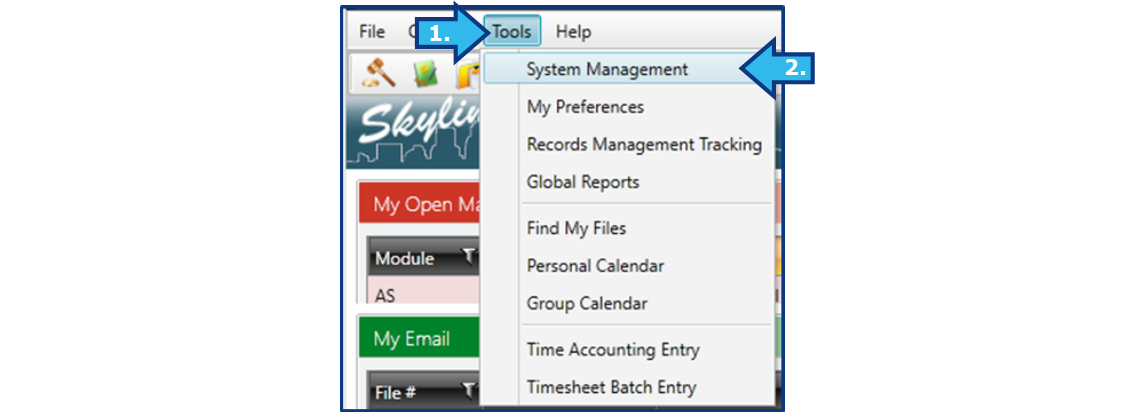
Alternatively, select Tools from the Menu and then select System Management.
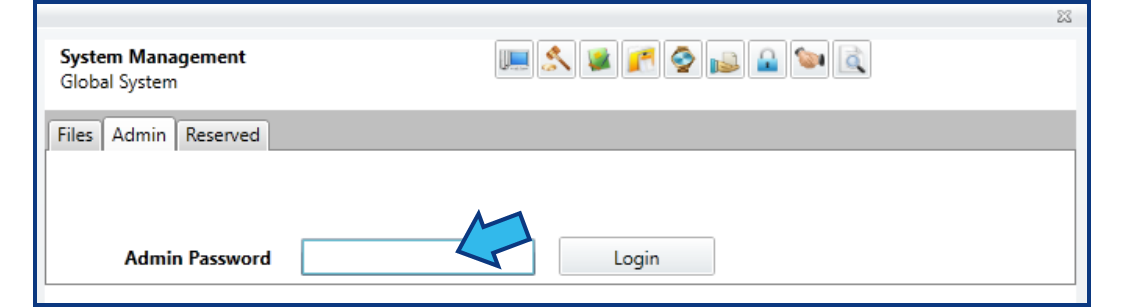
Select the Admin tab and enter the Admin Password. Only users with system administrator privileges may access Memory Management Settings.
Select the box to the left of Memory Management Settings.
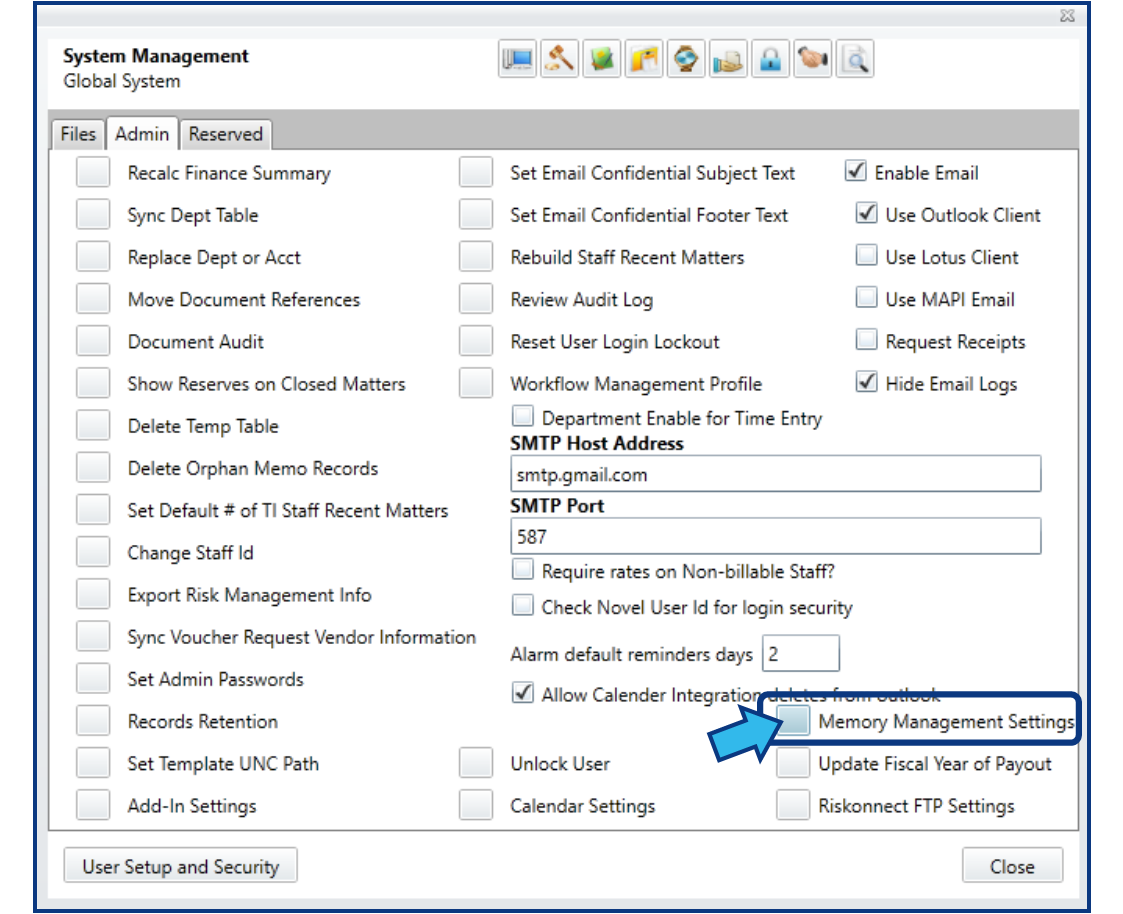
If Memory Management Settings is not present, contact Cycom Support.
Step 2. Enable Memory Management.
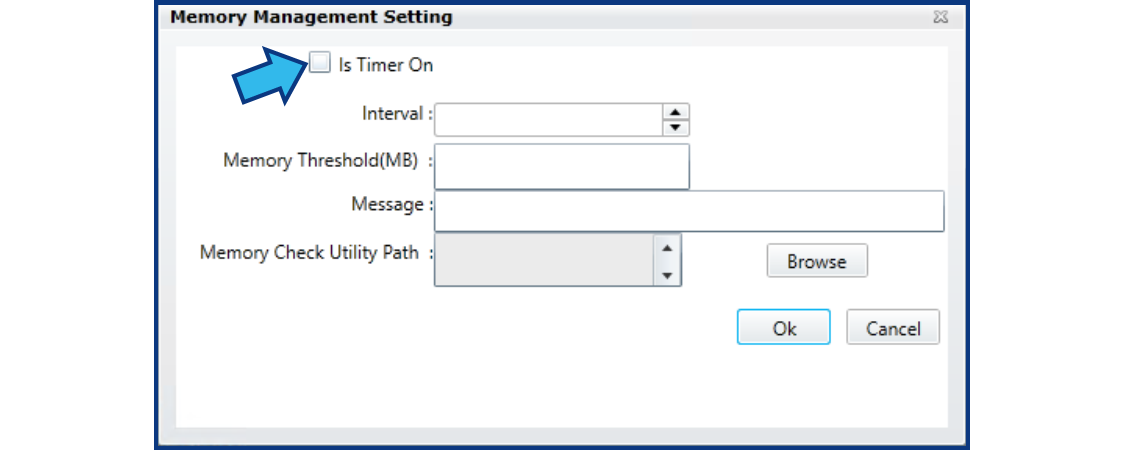
Memory Management is a tool that monitors the memory usage and warns the user at specified intervals to save their work and restart the browser. To enable Memory Management, check the box for Is Timer On.
Step 3. Configure Memory Management.
The Memory Management tool allows selection of an optimal interval for monitoring memory usage. Interval is specified in minutes. The optimal interval will vary based on usage patterns. Users that frequently work in multiple modules or have multiple matters open simultaneously will benefit from more frequent monitoring.
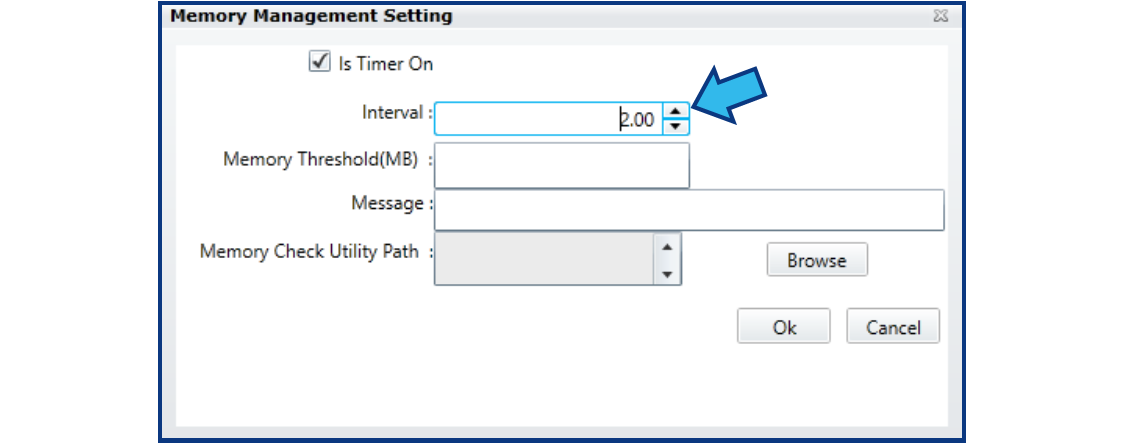
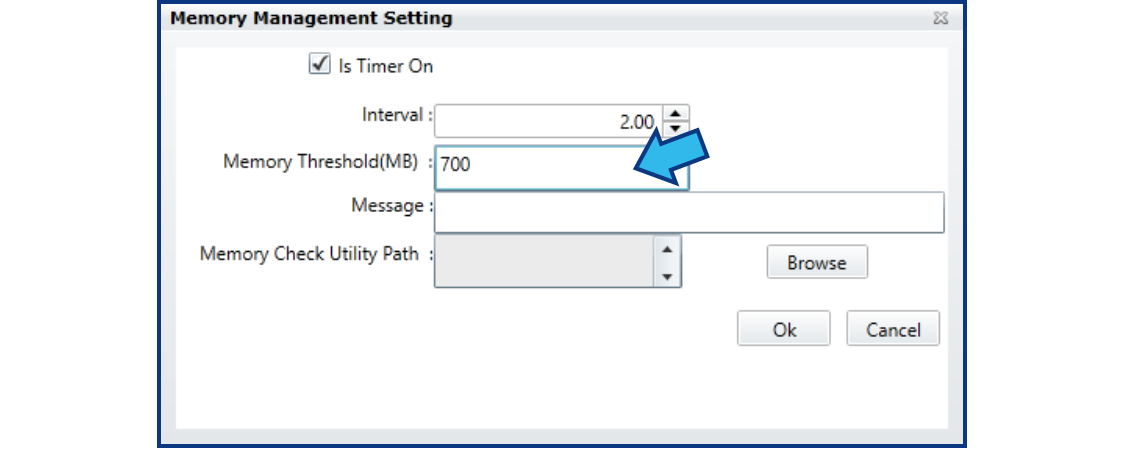
Memory Threshold (MB) is the cap for memory usage for which the Memory Management tool monitors.
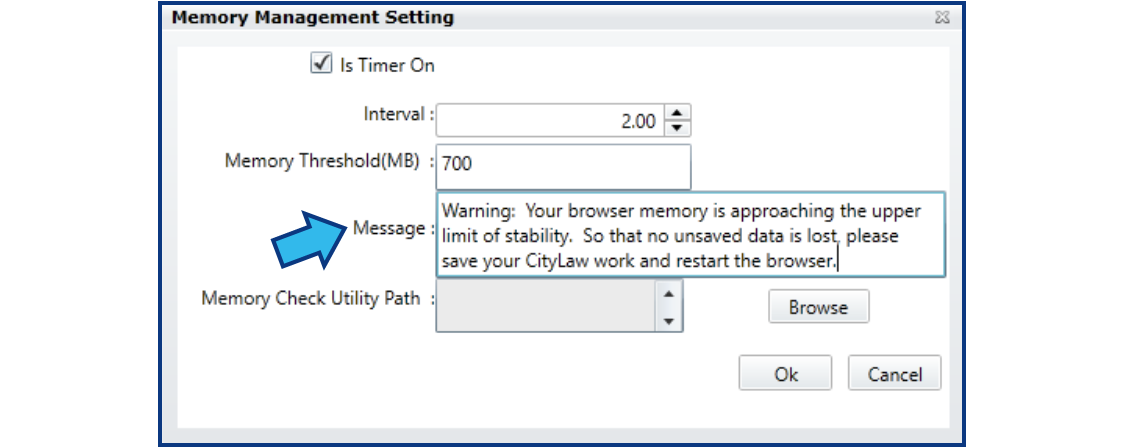
The Message field allows a custom message to be displayed to the user once the Memory Threshold has been reached. A suggested message would be “Warning: Your browser memory is approaching the upper limit of stability. So that no unsaved data is lost, please save your CityLaw work and restart the browser.”
The Memory Check Utility Path must be specified. C:\CycomSQL is the standard location. Press the Browse button to locate and select this folder.
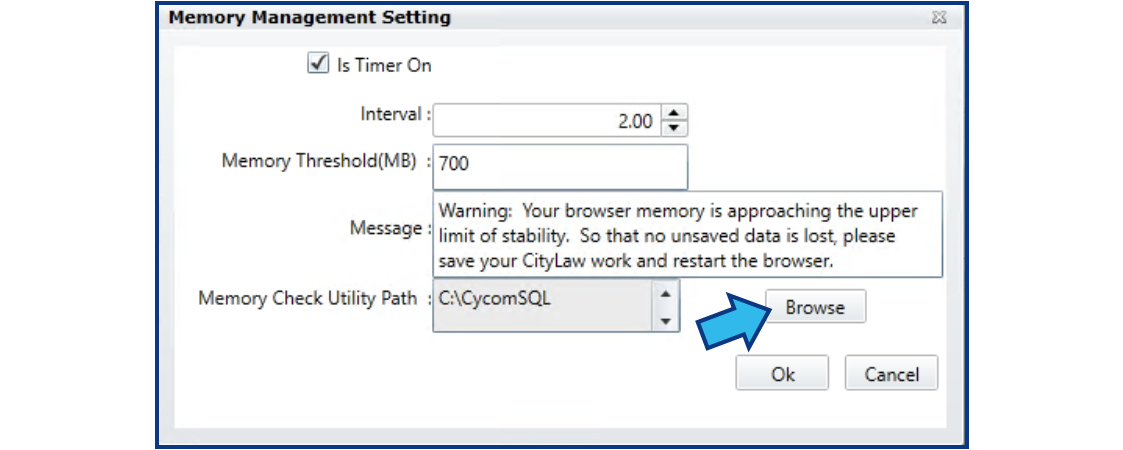
Press Ok to save the settings, and then press Close to close System Management.
If this did not resolve your issue, contact Cycom Support.
Cycom Support can be reached in the following ways:
- Phone call to 1-800-292-6688
- Email to support@cycominc.com
Want a print-friendly version of this article?
Comments
0 comments
Please sign in to leave a comment.