
Does this happen?
When trying to send an email from within CityLaw / CountyLaw, an error message appears stating it has stopped working. A button to close the application is available in the message box.
Resolution Guide
Complete the following steps to resolve this issue:
Step 1. Close CityLaw / CountyLaw.
Ensure that CityLaw / CountyLaw is closed by pressing the Close button in the error message box, if applicable.
Step 2. Verify the Icon Target is CyMain.exe.
Right-click the CityLaw / CountyLaw desktop icon and select Properties. In the Target field, the file should end with “\CyMain.exe”.
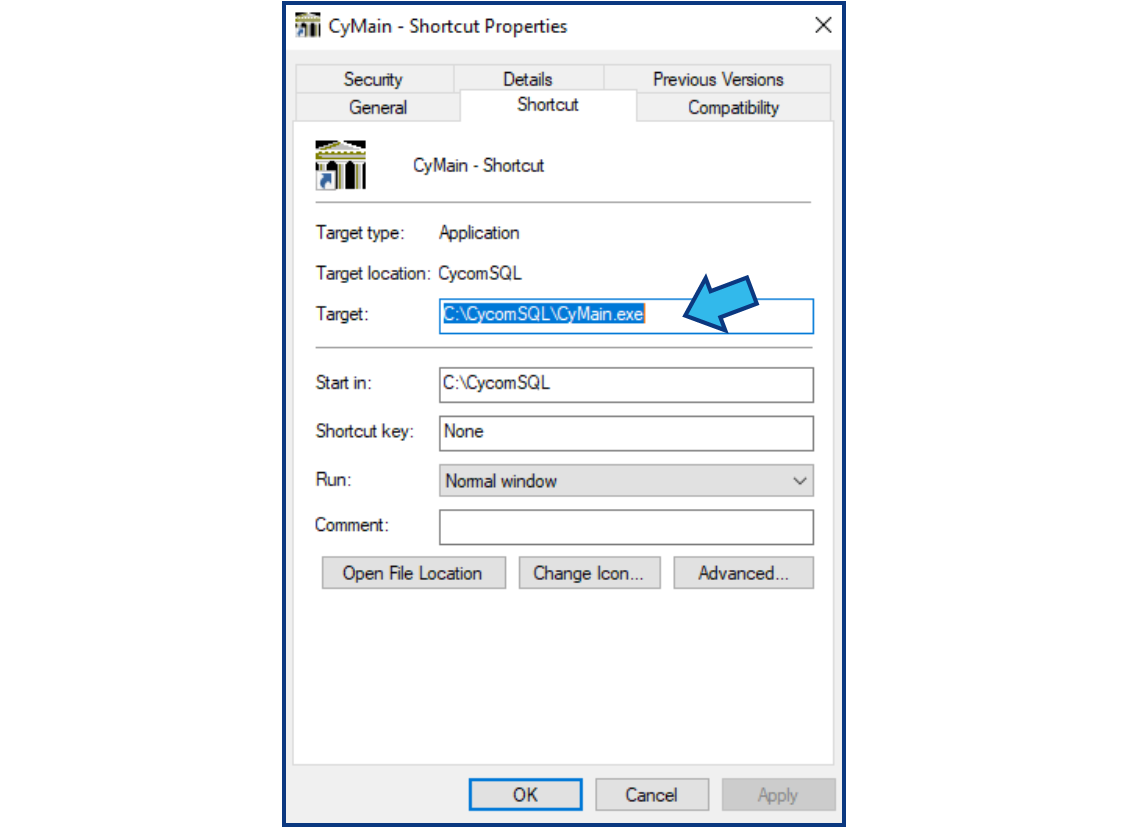
If Target does not end with "\CyMain.exe", contact Cycom Support.
Step 3. Open CycomSQL.EXE.
Open File Explorer. Enter “C:\CycomSQL\CycomSQL.EXE” into the address bar and press Enter. Alternatively, navigate to the CycomSQL folder, then double-click CycomSQL.EXE.
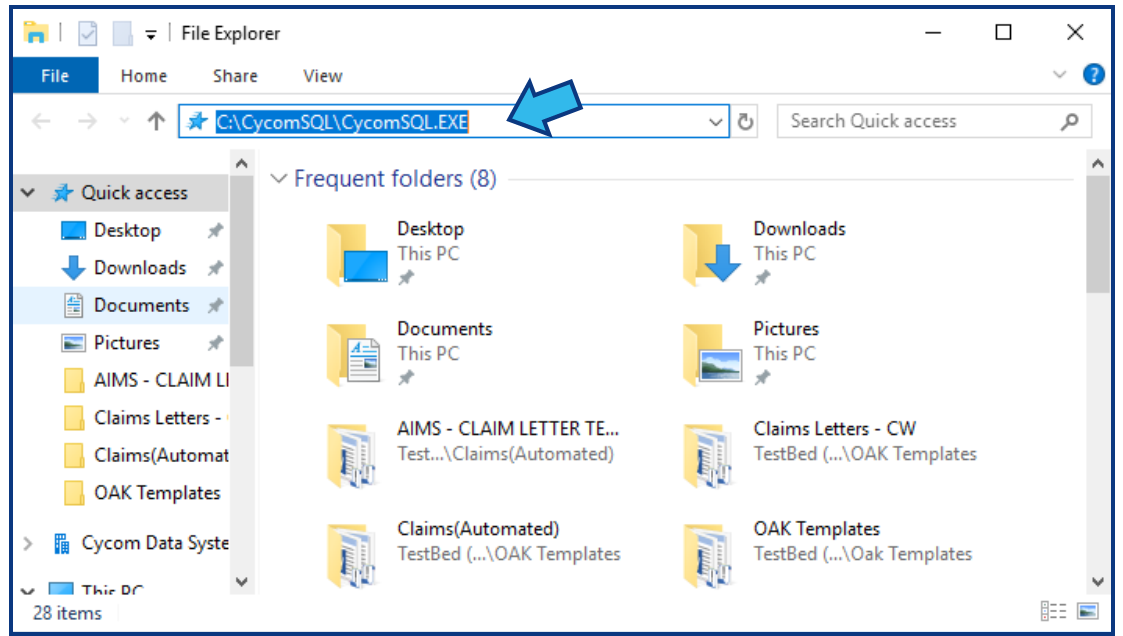
If there are any updates, they will be retrieved and then CityLaw / CountyLaw should open.
If CityLaw / CountyLaw does not open, contact Cycom Support.
Step 4. Verify email function.
Attempt to email from CityLaw / CountyLaw. Email should function as expected.
If email does not function, contact Cycom Support.
Step 5. Close CityLaw / CountyLaw.
Close the application.
Step 6. Open CityLaw / CountyLaw from desktop icon.
Double-click the CityLaw / CountyLaw desktop icon. CityLaw / CountyLaw should open.
If CityLaw / CountyLaw does not open, contact Cycom Support.
Step 7. Verify email function.
Attempt to email from CityLaw / CountyLaw. Email should function as expected.
If this did not resolve your issue, contact Cycom Support.
Cycom Support can be reached in the following ways:
- Phone call to 1-800-292-6688
- Email to support@cycominc.com
Comments
0 comments
Please sign in to leave a comment.