
"Close Matter Field Setup" tab
You can configure which fields a user is required to fill in when closing (dispositioning) an Assignments matter on the Close Matter Field Setup tab of the Assignments section in the System Management module. Configuring required fields requires an Administrator password.
Navigating to the Close Matter Field Setup tab
Open the System Management  module.
The System Management window will appear.

Modules whose codes and settings can be changed in System Management appear in the toolbar along the top of the window. Global System is selected by default.
Press the Assignments  button to view the codes and settings particular to Assignments, then select the Close Matter Field Setup tab.
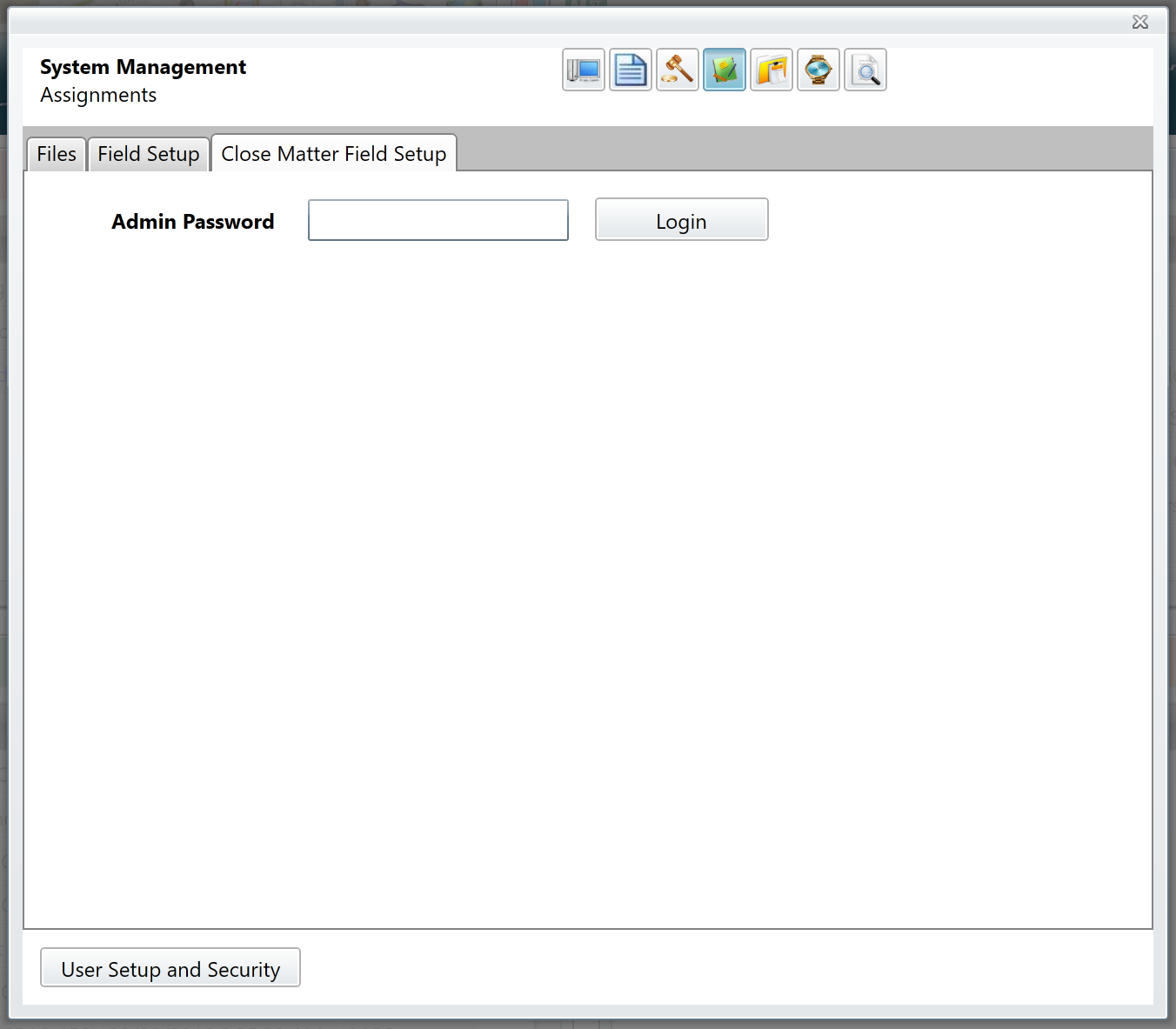
Enter your Administrator password to continue.
Configuring required "Close Matter" fields
The Close Matter Field Setup tab has three sub-tabs. The first is Status.
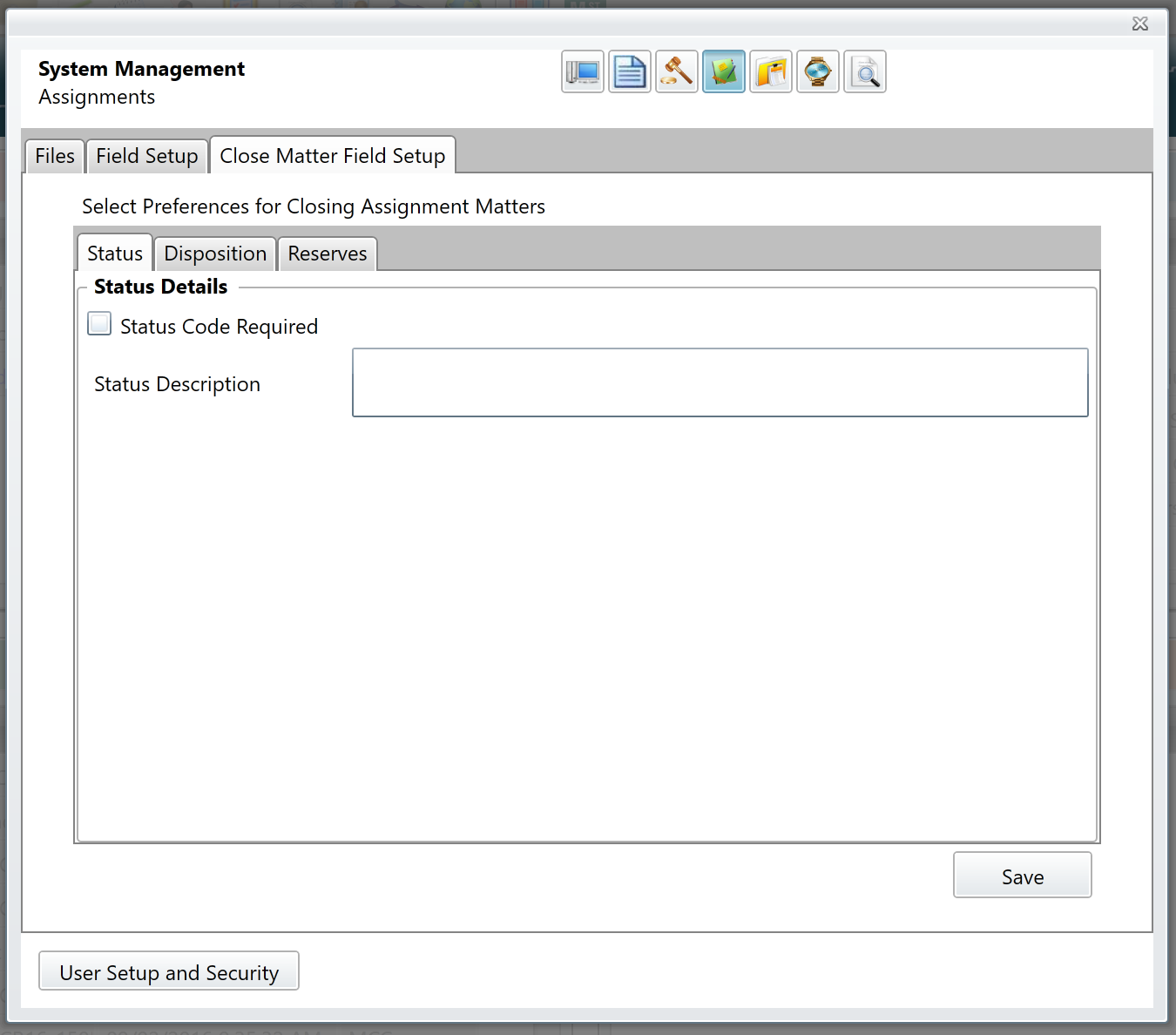
The Status sub-tab shows which Status fields will require a value when closing an Assignment matter.
The next sub-tab is Disposition.

The Disposition sub-tab shows which Disposition fields are required when closing an Assignment matter.
The third sub-tab is Reserves.
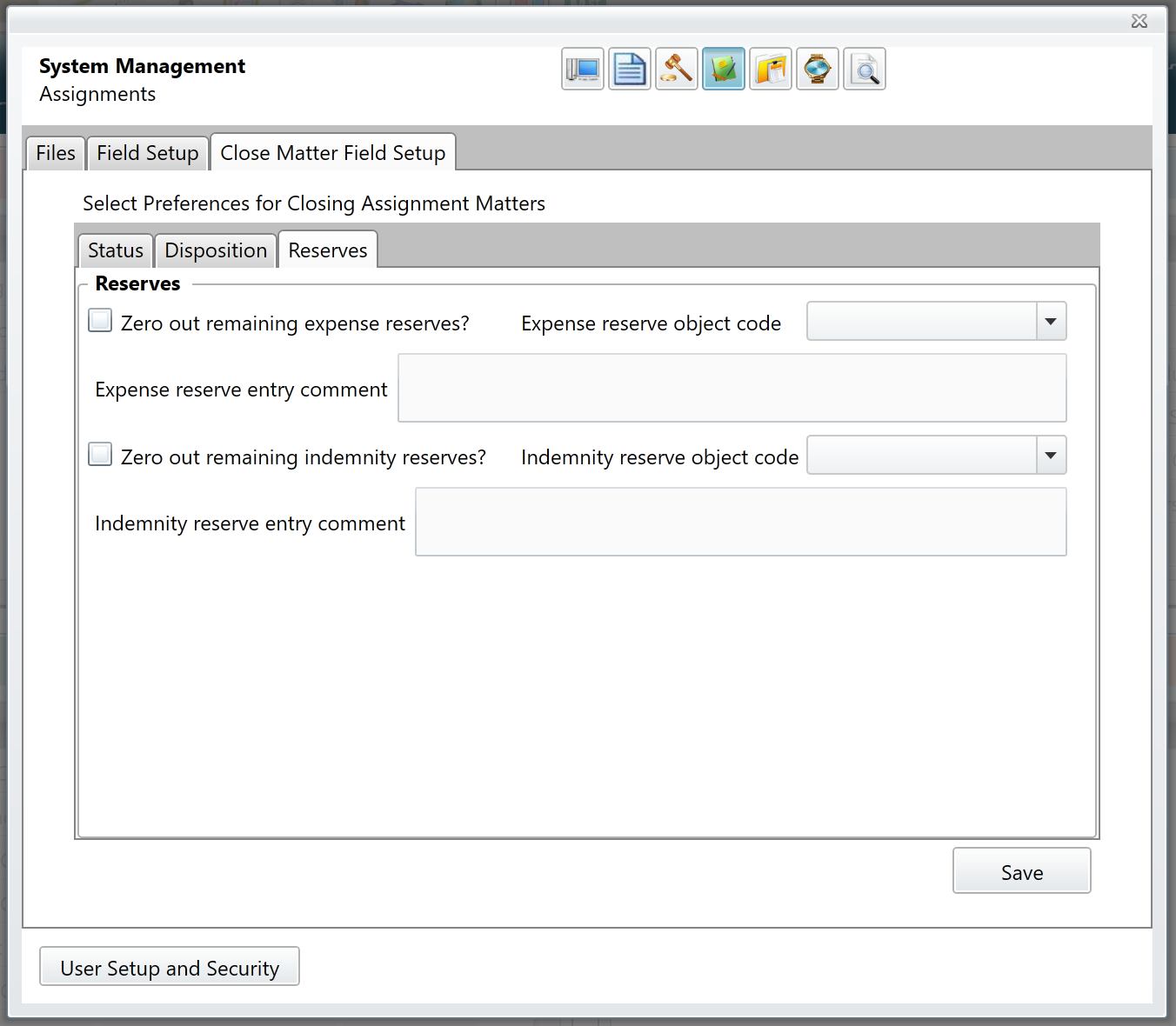
The Reserves sub-tab allows you to automatically zero out any remaining reserves with the specified code when the Assignment matter is closed.
Comments
0 comments
Please sign in to leave a comment.